What does Cowork on web and mobile actually mean?
Cowork launched in January as a desktop-only app. Back then a task needed your laptop open the whole time it ran, and closing the lid killed it. With this update, Cowork runs remotely on Anthropic's servers. Your session and files travel with your account rather than your machine, so the work continues even after you close the laptop.
That changes the flow of work. Start a task at your desk in the morning, check its progress from your phone at lunch, and pick up the finished output anywhere. The beta opened on July 7 starting with Max plan users, with other plans following over the coming weeks. For early users, Cowork usage limits are doubled through August 5.
How do scheduled tasks actually run?
Scheduled tasks show the shift best. Anthropic's own example: set client prep for 6 a.m., and Cowork reads the email threads, works through call transcripts, checks recent news, builds the full briefing document, and even drafts the follow-up email. It does not send it. It leaves the one yes-or-no decision to you and waits.
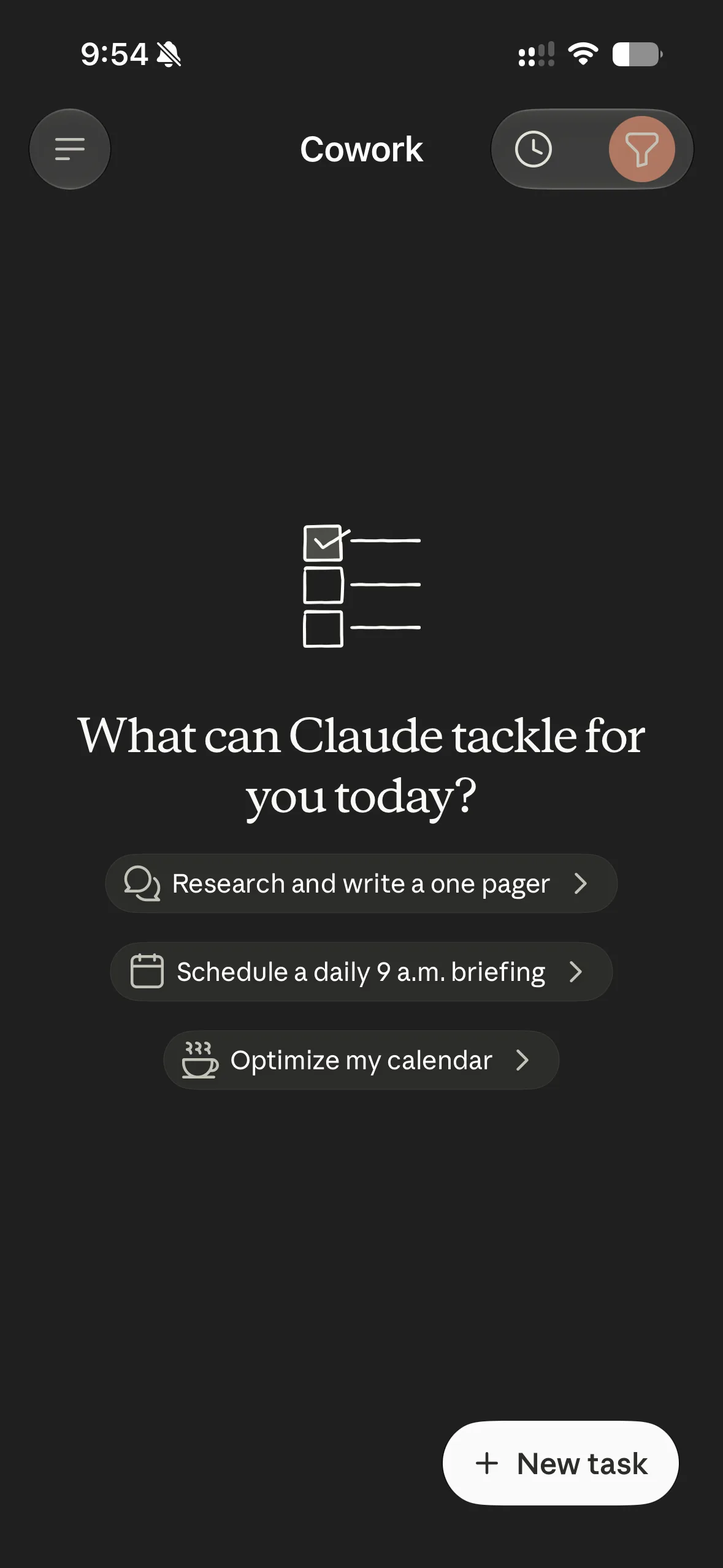
The mobile screen guides you straight into this. Under the prompt asking what Claude can tackle for you today, it suggests tasks you can start immediately: research a one-pager, schedule a daily 9 a.m. briefing, optimize your calendar. The point isn't a smarter model. It's an agent that no longer needs you sitting next to it.
How did the desktop app's Chat and Cowork UI change?
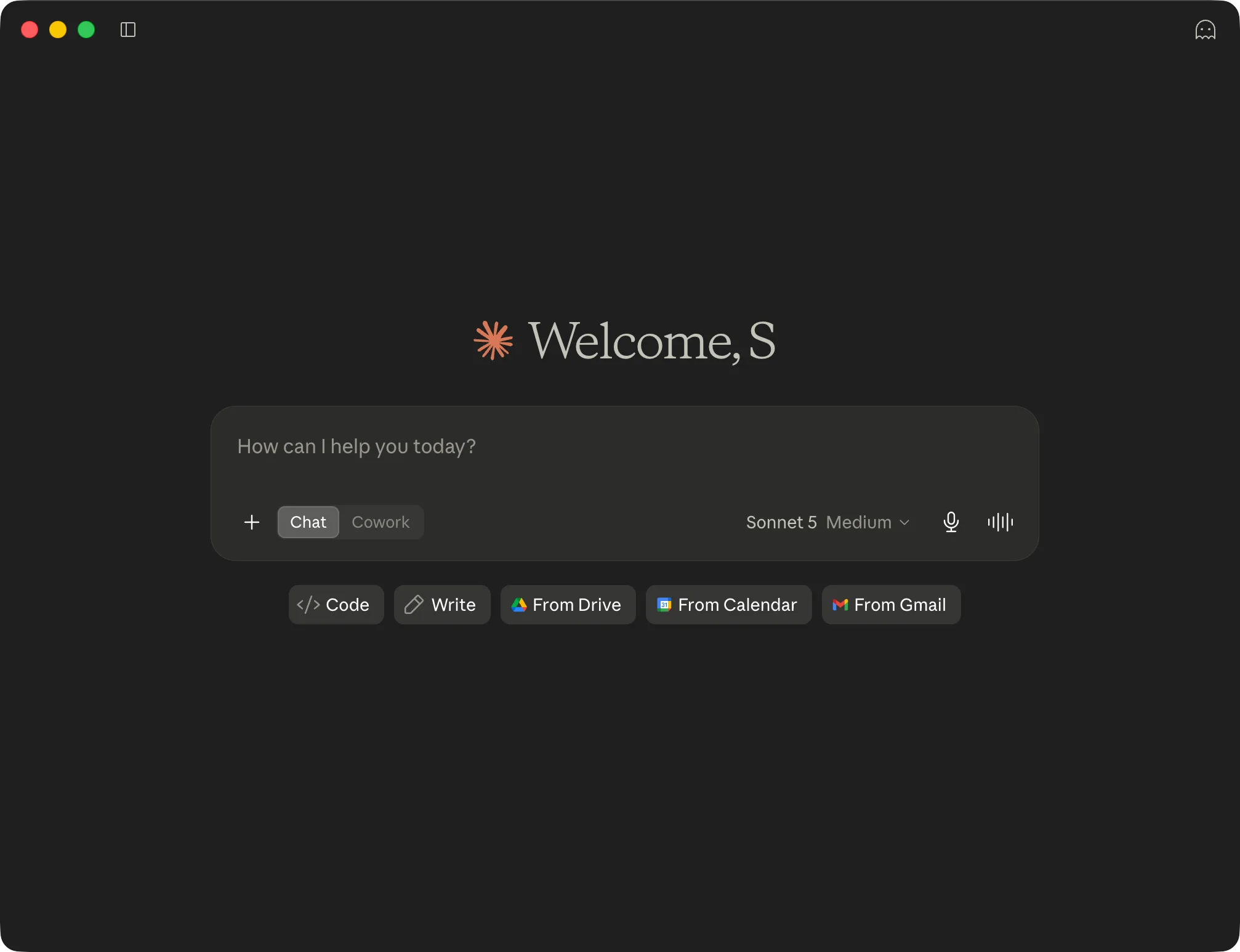
The desktop app was tidied up alongside this. Chat and Cowork used to sit in separate spaces; now they share one home. You toggle between Chat and Cowork inside the same input box, switching from a quick question to a long-running task without changing screens.
Next to the input you pick the model and reasoning effort (for example, Sonnet 5, Medium) and connect Drive, Calendar, and Gmail right there, alongside quick-start buttons like Code and Write. It's a layout built to shorten the distance from idea to execution, with no jumping between tabs and apps.
Can it reach the files or apps on my phone?
Here's the line to draw clearly. Cowork on web and mobile works with the cloud sources and connectors linked to your account. It cannot directly touch the local folders or installed apps on your phone, because the remote session runs on Anthropic's servers.
Four capabilities still require the desktop app to be open: local file access, local connectors, browser control, and computer use. A remote session keeps running after the desktop app closes, but once the app is closed it can no longer reach the local files on that computer. So if your task depends on files sitting on your laptop, that laptop still needs to be open somewhere. It isn't magic yet, but it's a real step forward.
Where should a small team or solo operator start?
Anthropic's own numbers point the direction. Across a two-week window in May, sampling more than a million Cowork sessions from over 600,000 organizations, more than 90% had nothing to do with coding. The single biggest category was business-process work: pulling scattered updates into one report, reconciling messy spreadsheets, and building onboarding checklists. That's not a developer's job. It's everyone's job.
So the starting point is simple. Hand off one task you repeat every week without thinking. The report you rewrite every Monday, the summary nobody wants to type up. Don't try to automate your whole operation on day one; take that one thing off your plate and grow from there. The work that's left is the judgment that actually needs a human.