What is a skill?
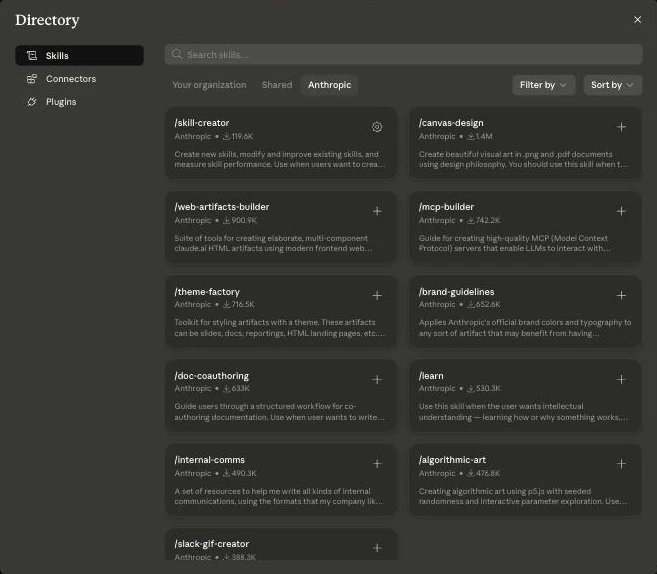
A skill is an instruction sheet written in markdown. Tell Claude 'clean up my inbox' and a skill lays out the order: sort by category, archive promotional mail, flag anything urgent. It's close to the manual a manager hands a new hire. Because it's fast and easy to write, agents even write their own skills.
But what a skill can't do is just as clear. A skill doesn't execute anything by itself. It doesn't log into an inbox, doesn't authenticate to any service, doesn't run a thing. For the instruction to actually have force, something underneath has to log in and fetch real data. A skill is smart instruction — a good document sitting on top of nothing, on its own.
Open Claude web's Settings → Customize → Skills and you get the feel immediately. Names like skill-creator, canvas-design, and mcp-builder announce their purpose on sight, listed with download counts running from 120K to 1.4M. Each one is just a few pages of instruction, but it makes Claude dramatically better at a specific task.
What is a CLI?
CLI, command line interface, means talking to a system by typing commands in a terminal. It looks more primitive than a skill at first glance, but for the model it's the opposite. Because it trained on an enormous amount of code and command-line examples from the web, a well-documented CLI is often easier for a model to use than a graphical interface you click through. When Claude Code fixes code, runs tests, or pushes to a repo, it's actually running CLI commands underneath.
Any system with a CLI can, in principle, be used by an agent with no extra protocol. But there are two structural gaps. One is discovery: there's no standard way for an agent to know what's currently available. The other is control: no standardized auth, no permission scoping, no audit trail of what actually happened. Powerful, but raw power.
What is MCP?
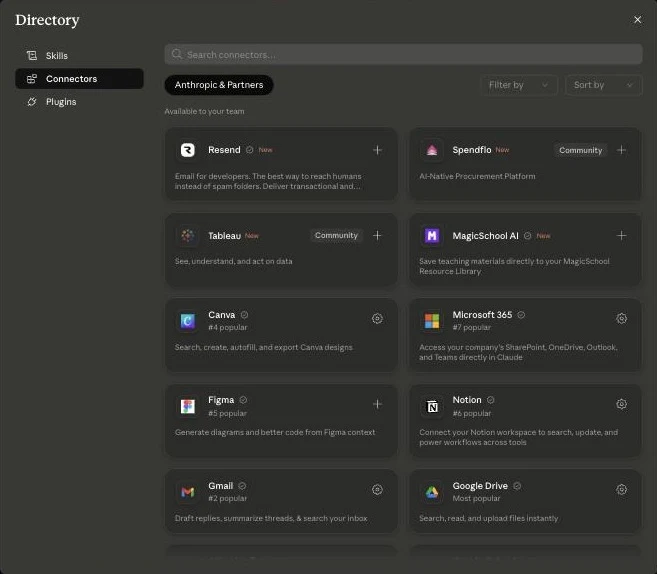
MCP, the Model Context Protocol, is an open standard created by Anthropic, now gifted to the Linux Foundation, and adopted by virtually every major AI player. Think USB-C. Before USB-C, your phone, laptop, and headphones each needed a different connector. One standard arrived and suddenly everything just connected. MCP does the same for AI. Build a tool once with a name, a description, an input schema, and authentication baked into the spec, and Claude, GPT, or Cursor can all use the same server as-is.
Open Claude web's connector directory and familiar services line up as cards — Notion, Gmail, Google Drive, Figma, Microsoft 365 — each attaching with a single Connect button. Every one of these cards is an MCP server. But there's real criticism too. Early implementations crammed 90 tools into a single server, burning tens of thousands of tokens before a conversation even started, and running the servers and managing auth flows adds real infrastructure overhead. Newer progressive-discovery approaches, which load only the tools actually needed, are chipping away at this.
The numbers make it click — CLI vs. MCP, measured
Concepts alone blur the difference between the three. Run the same task both ways and the line gets sharp.
| Task | CLI | MCP |
|---|---|---|
| Search two files for a word | cat + grep, done in two commands | Filesystem server loads 13 tool definitions first (only 2 actually used) |
| Check the last 10 commits (Git) | One git log line — the model already knows the flags | GitHub server preloads the full schema of 80 tools, ~55,000 tokens |
| Read a JavaScript-rendered page | curl gets a bare skeleton, tries several workarounds, ~2,000 tokens and minutes | Headless-browser fetch tool, one call, ~250 tokens and seconds |
What the numbers actually say
The simple task — find a word across two files — finished with CLI in two lines, cat and grep. Ask the same thing through an MCP filesystem server, and even though only two tools ended up being used, all 13 tool definitions the server advertises loaded into the conversation first. Checking git logs is the same story: the CLI finishes in one command, while a GitHub MCP server loads the full schema of 80 tools, burning about 55,000 tokens before the conversation even starts. Looking only at this, the CLI camp seems to win outright.
But there's a mirror case. Fetch a page that's rendered in JavaScript — say a Next.js site like modelcontextprotocol.io — with curl, and you don't get finished text, just skeleton code. The agent stripped tags, dug through JSON embedded in the source, and eventually reverse-engineered the internal format Next.js uses to stream content, just to read a webpage. It burned over 2,000 tokens and several minutes to barely scrape together enough to summarize. An MCP fetcher server backed by a headless browser did it in a single call to one tool — about 250 tokens, a couple of seconds, rendered text handed back directly.
The pattern is clear. CLI wins where a command maps directly to the job — file operations, Git, text processing — problems the terminal has been solving for decades that the model already knows cold. MCP wins where there's a gap between the raw material a tool gives you and what you actually need, and wherever authentication, permissions, or an audit trail matter.
New to this? Where to install, what to turn on first
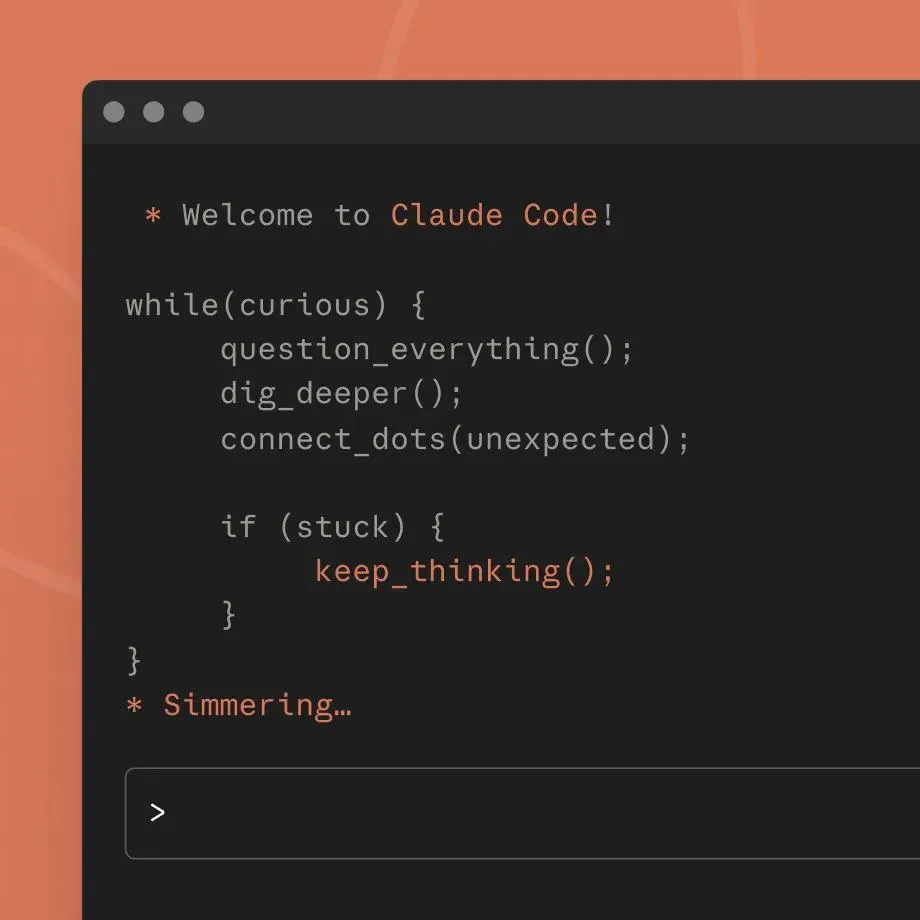
The names may be unfamiliar, but getting started isn't hard. Turn each one on in order.
Start with the CLI. On a Mac that's the built-in Terminal app; on Windows, PowerShell. First install Node.js (nodejs.org), then paste the command below. Once installed, move into your project folder and type claude to run it.
Skills switch on inside Claude web (claude.ai). Click the profile icon in the bottom left to open Settings, then go to Skills under Customize. Official skills are listed under the Anthropic tab — click the + next to any you want, and Claude uses it automatically from your next conversation on. No code required.
MCP turns on in the Connectors menu of the same settings screen. Click Add, then Browse connectors, and cards for Notion, Gmail, Google Drive, and more appear. Click Connect on the one you want, approve access in the login popup, and you're done. From then on, say 'find this in my Notion' mid-conversation and Claude uses that connector.
# Install Claude Code
npm install -g @anthropic-ai/claude-code

# After installing, run inside your project folder
claude
So what should you turn on first?
If you're solo or on a team of five or six, skills plus a CLI get you remarkably far. Fast to install, low friction. But go in with your eyes open — using a CLI knowing it has no standardized auth or audit trail is different from using it without knowing that.
If you're an organization spanning multiple teams, systems, and customer data, it's not a question of picking one of the three. You end up using all of them. Skills encode how the company works, a CLI executes underneath those instructions, and MCP connects everything through an authenticated, auditable spec that lets you scale safely. The three layers don't compete — they stack.