Updating one planning document did not require running the whole process again
meta-plan is a private plugin built to carry planning through a sequence of steps in Claude Code. A plugin is an extension that bundles frequently used workflows and tools. Given a topic, it proceeds through research, PRD writing, reviews by different roles, screen mockups, and final validation. A PRD is a product requirements document that states what to build and which conditions it must meet. A mockup is a draft used to check a screen's appearance and flow before implementation.
The previous article described a structure that separates the AI that writes from the AI that challenges the work. This update reduces costs that arose while using that structure in practice. You can now choose whether to search for external papers again when you only need to document an agreed feature, or create mockups when it is too early to discuss screens. Instead of removing review altogether, you first define what this run will produce.
Because this is a private tool connected to internal systems, there is no public installation URL. The option examples below explain how to use it in an environment where meta-plan is available. Readers who have not installed it can still apply the request in the final section to their own AI work.
Quick reduces research. The review roles stay the same
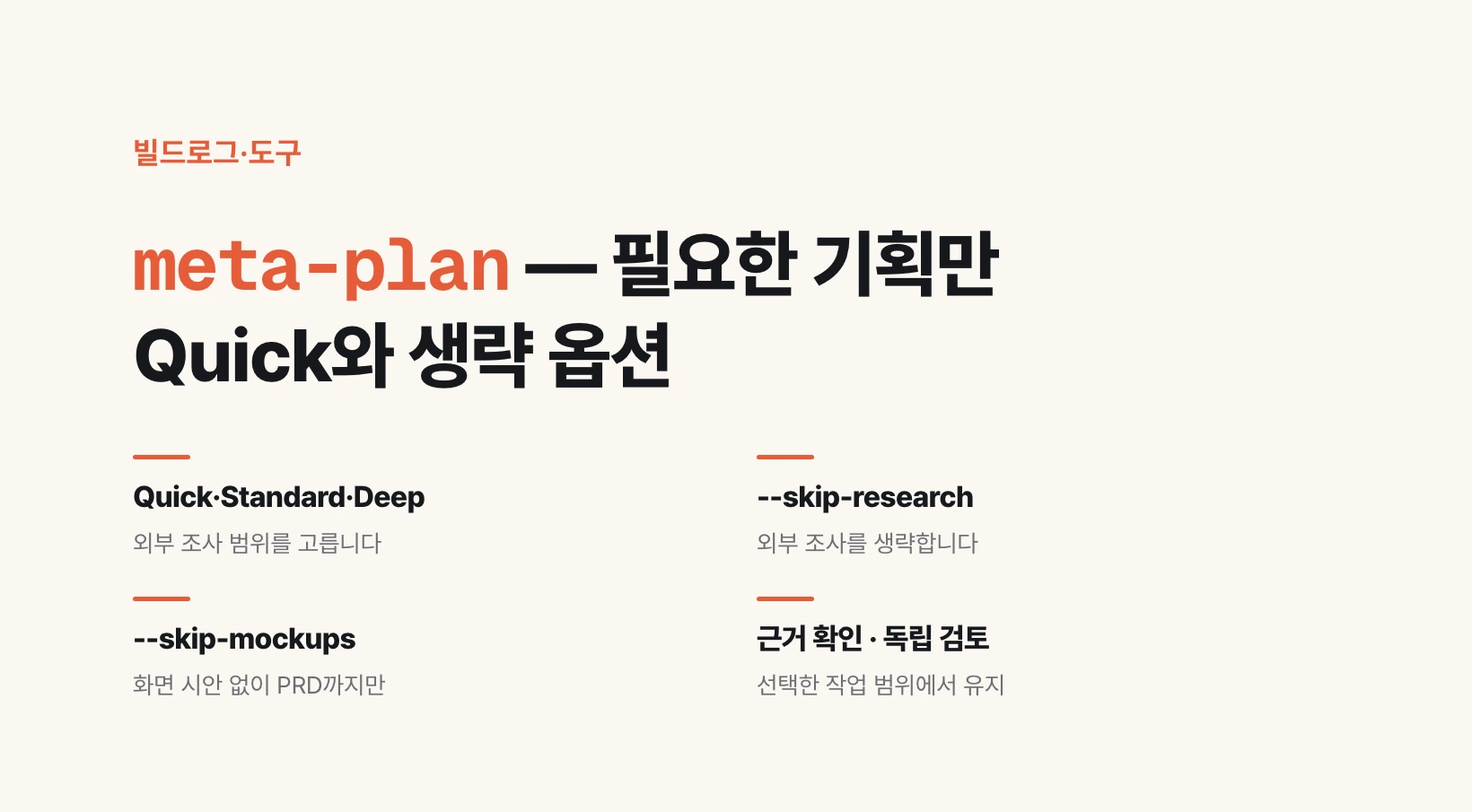
A track is a way of running the process that sets the scale of research. Quick is for small, familiar topics, Standard is for typical planning, and Deep is for topics with a broad range of comparisons. All three tracks validate extracted claims from three perspectives: checking against original sources, looking for counterexamples, and checking for exaggeration.
Quick's baseline covers 3 research angles, up to 6 original sources, and up to 8 claims to validate. Standard uses 6, 15, and 20 respectively; Deep uses 8, 24, and 30. Research to address missing questions and separate supplementary runs are recorded apart from this baseline. Reading fewer sources does not mean claiming to answer the same questions in the same depth.
| Track | Original source limit | Claim validation limit | Example use |
|---|---|---|---|
| Quick | 6 | 8 | A small-scope change |
| Standard | 15 | 20 | Typical planning |
| Deep | 24 | 30 | Broad comparative research |
/meta-plan:meta-plan <repo> <topic> --quick
/meta-plan:meta-plan <repo> <topic> --depth deep
Skip research and screen creation separately
--skip-research skips research into external papers and trends. You can use it to organize requirements from material you have already collected. The company's knowledge base—a collection of documents describing existing features and policies—and the actual code are still checked. Necessary checks of legal grounds also remain. The document does not claim to have checked the latest trends when no external research was done, and gaps in evidence remain marked as unverified.
--skip-mockups skips screen mockup creation and screen review. It produces PRD HTML instead: a planning document you open and read in a browser. The document still records which screens are needed and how they should behave in empty-result and error states. The document's rendering is checked, but product screens that have not been created are not marked as validated.
You can combine both options with any track. --full-review always runs additional cross-review within the selected scope. It does not mean restoring skipped research or mockups. The run's choices are saved in its record, and the same scope is kept when resuming after an interruption.
/meta-plan:meta-plan <repo> <topic> --skip-research --skip-mockupsPRD-only output also makes the skipped scope visible
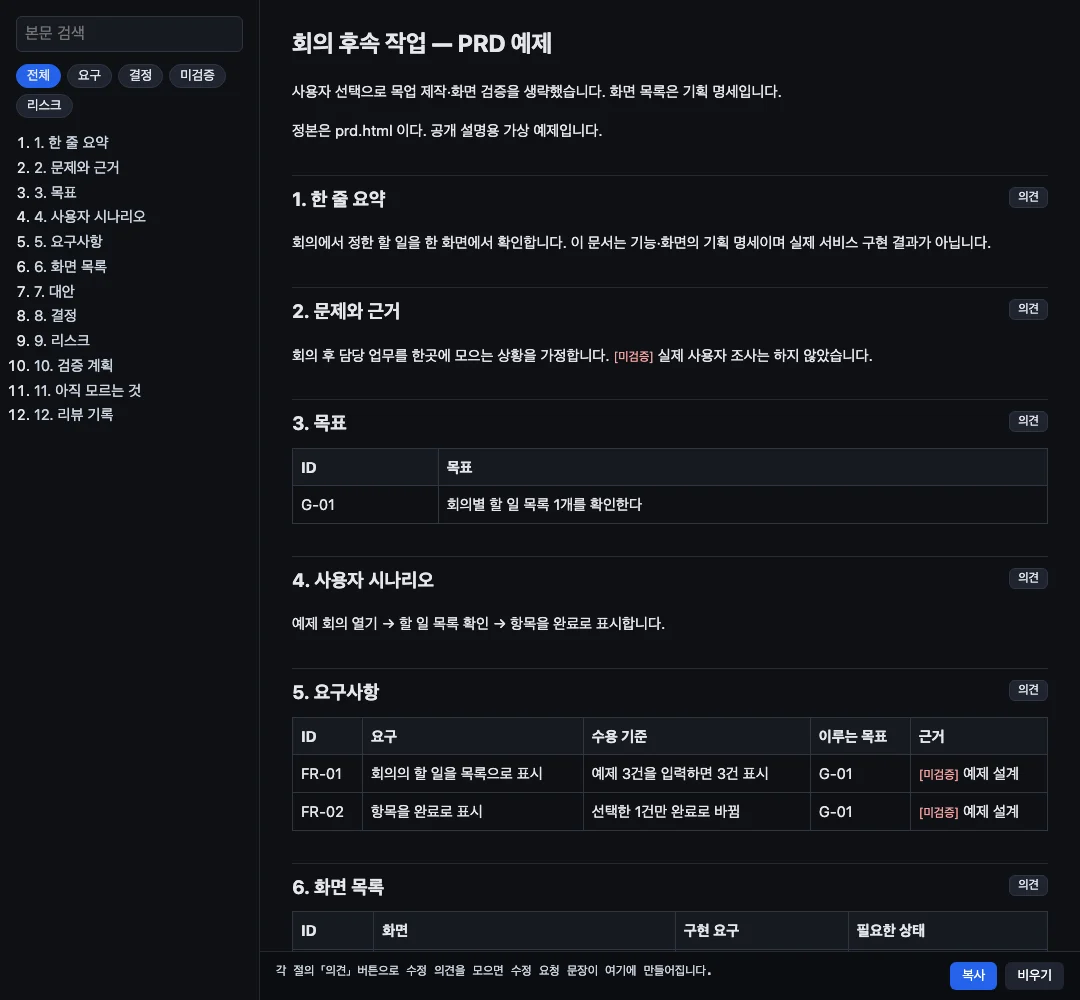
Below is a PRD screen created with the actual converter from a fictional example for this public explanation. It is neither customer material nor an actual operational case, and it is not the result of AI completing the entire planning process. The example checks that the mockup-skip notice is visible and that the screen list and requirements remain in the planning specification.
The basic document checks cover links between goals and requirements, evidence annotations, decision status, and required sections. These checks remain in the path that skips mockups. The checks were also extended to report an error when screen state specifications are empty. Skipping changes the selected scope; it does not excuse omissions in the content that remains.
Repeated calls were reduced. Total costs were not cut by 80%
Previously, incorporating review feedback required multiple calls to the editing tool. Now, multiple edits can be applied at once, and screen states can be viewed together. The target of writing a PRD of around 100,000 characters was removed; length now depends on the requirements, acceptance criteria, and evidence needed. Reviews after approval and resumed reviews also count toward the agreement stage's limit of 5 rounds. If the last revised version has not been reviewed, it does not inherit approval from an earlier version.
Citation checks are batched in groups of up to 5. When checking 20 claims in standard research, this reduces the combined number of request-file writes and check commands from 40 to 8. It means an 80% reduction in calls for this task. Reading the text around a passage or retrying a source that failed is separate work.
Tokens are the small units an AI processes when reading and writing text. Fewer calls may reduce repeated reading, but there are no measurements yet showing that total tokens and elapsed time fell by the same proportion. All 77 automated tests and 33 browser regression checks passed; that does not prove actual planning quality or an overall cost reduction rate.
Start your own AI work with these three instructions
Even without using the tool directly, you can begin by separately stating the research scope, the deliverable, and the checks to keep through the end. For example, if you need a document for a meeting about improving an existing feature, ask as follows.
This request is not a formula that guarantees speed or accuracy. It defines the scope of the AI's work. When you receive the result, first read what was skipped, which evidence was checked, and what is still unknown. Add external comparisons or screen discussions separately when they become necessary.
Please organize the requirements based on existing documents and actual behavior.
Exclude external trend research and screen mockup creation from this run's scope.
Record the requirements, acceptance criteria, evidence, and unconfirmed items,
and check the work with separate writing and review roles.
Do not mark anything you have not checked as validated.