A blob is one chunk of file data
You ask AI to build an app for uploading and viewing receipts, and it suggests Blob Storage. Do you really need to understand storage just to add an upload button? You do not have to write the code yourself, but you should know where the files go and who can view them. Receipts and public promotional images need different access rules.
BLOB stands for Binary Large Object. For a beginner, think of a photo or PDF stored as one chunk of data. Despite Large in the name, small files can be stored too. Blob Storage stores and serves images, documents, videos and text.
In Microsoft Azure, a Storage Account is the overall storage resource, a Container groups files, and a Blob is an individual object. Think of a warehouse, a storage area and an item.
Source: https://learn.microsoft.com/en-us/azure/storage/blobs/storage-blobs-introduction
Why use it when you already have a database?
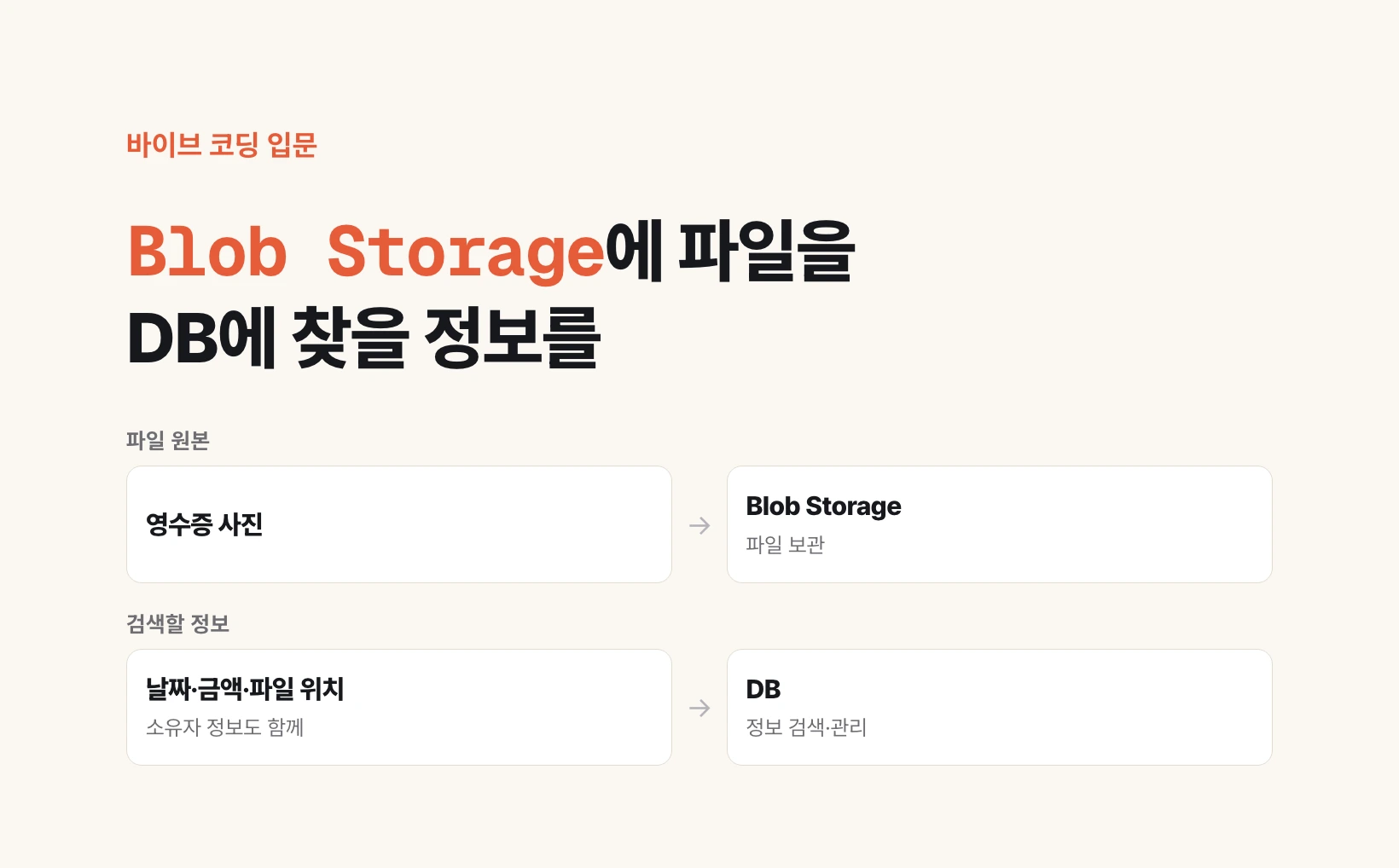
A database, or DB, organizes information so you can find it by conditions. In a receipt app, showing last month's transport expenses requires dates, categories and amounts. Opening an original receipt requires its image. The table is an example of separating these roles.
Keep the photo in storage and its lookup information in a ledger. This does not mean a database cannot hold files. It is a design choice separating file storage from information lookup. Storing small files alongside their related data in the database can also be reasonable.
| Receipt app data | Where to store it |
|---|---|
| Original receipt photo | Blob Storage |
| Date, amount and expense category | Database |
| Uploader and file location | Database |
Who can open the file matters more than upload success
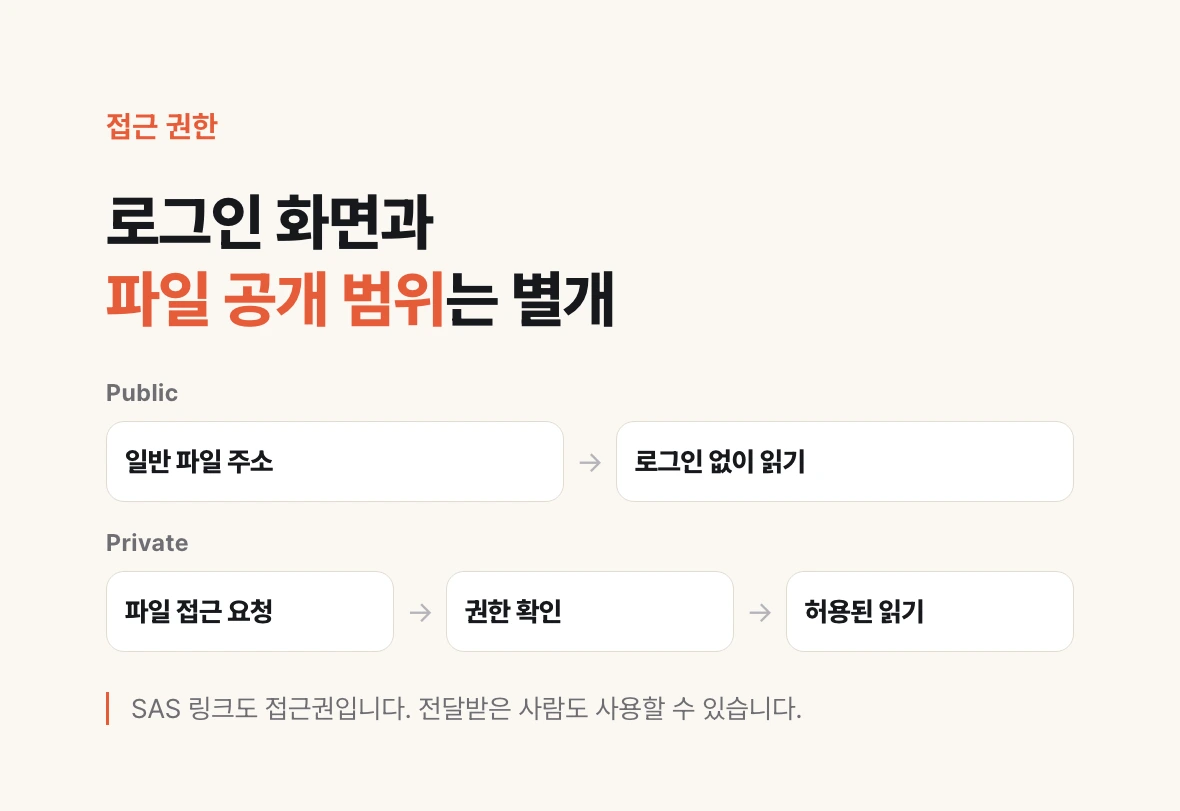
Private requires authorization to read. Public allows unauthenticated reads within the permitted scope. A company logo and a customer contract should not share the same public storage area. Azure blocks anonymous access by default and recommends disallowing it when unnecessary. Public read access does not give everyone permission to modify or delete files.
A login screen and a private file are different things. Even if the app requires login, the original may still be public if anyone can open its copied URL.
A SAS is a limited access grant for temporarily sharing a private file. A link can permit reading a specific file for a short time. Anyone receiving that link can exercise its permissions, so protect the link itself.
Sources: https://learn.microsoft.com/en-us/azure/storage/blobs/anonymous-read-access-configure
https://learn.microsoft.com/en-us/azure/storage/common/storage-sas-overview
Ask AI to check the upload design before changing it
If you already have an app, paste this request into your coding assistant. It is a suggested inspection prompt, not evidence that any particular app has passed a security test.
Review this app's file-upload design.
Do not change code or settings yet.

1. Explain where uploaded original files are stored.
2. List the file-related information stored in the database.
3. Check whether a logged-out person can open an original using its ordinary URL.
4. Check that someone logged in with another account cannot view my files.
5. Check whether sharing links expire and are limited to read-only access.
6. Explain what happens if upload succeeds but the database save fails.

Distinguish verified findings from assumptions.
Do not reveal passwords, storage keys or usable access links in your response.
Use a test file to answer three questions
Use a file without personal information, not a real receipt or contract. In an app you control, check access while logged out and with a separate test account.
An ordinary URL being blocked does not prove the whole app is secure. Also check that another user cannot obtain a sharing link for your file.
A beginner does not need to learn every storage feature first. Ask: Where is it stored? Who can view it? What happens when saving fails? These three questions help you move from an upload button that works to an app that manages files properly.