It worked on my machine
There is one of the oldest sentences in software: it worked on my machine.
Deployment used to be simple. Upload the files you made on your computer to the server and people saw them. But that approach carried a silent assumption: that your machine and the server are the same environment.
They are not. A different operating system, or the same one at a different version, or different versions of installed tools. Even if you matched them on the first upload, they drift apart over time. The code is identical while the ground differs, so it works here and fails there.
It is also hard to fix, because no amount of staring at the code helps when the problem is not in the code.
So the ground gets moved too
The idea is simple. If the environment differing is the problem, move the environment along with it.
Instead of moving only the program, you take the ground it was running on and seal both into one bundle. Which operating system, which tools, at which versions, all of that goes inside.
That bundle is an image, and running an image so it actually works is a container. The whole approach is Docker.
Deployment changes as a result. Instead of uploading files one by one and overwriting, you swap the whole container. Start the new bundle, take the old one down. If it goes wrong, bring the old bundle back up.
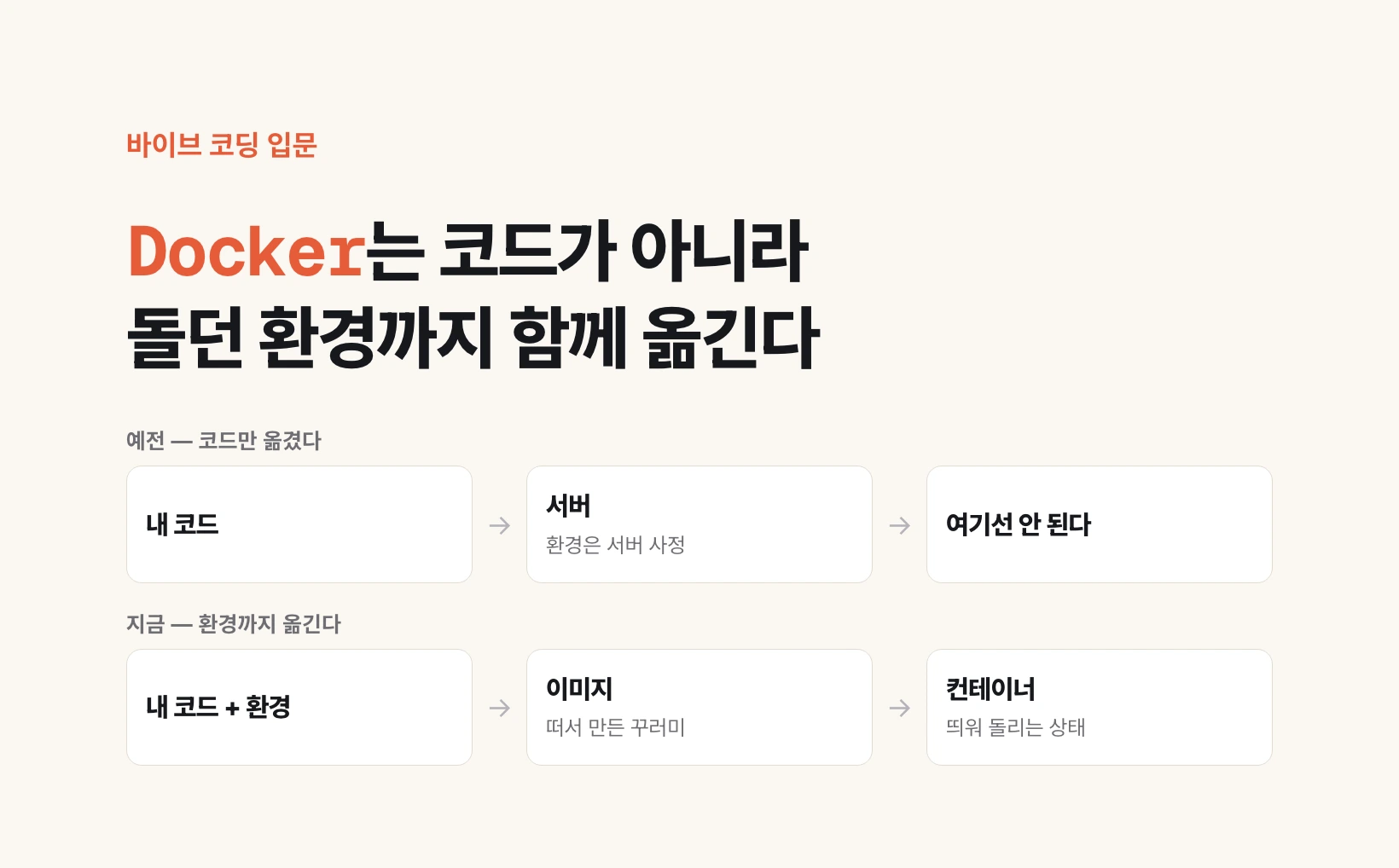
before  my code ──────────────────▶ server
        (the server's environment was the server's business)

now     my code + the environment it ran in ──▶ image ──▶ run as a container
        (same ground, so working here means working there)
It is not only for moving things
Some people notice a whale icon appearing on their computer at some point during vibe coding. This is usually why.
You can pull an image somebody else built and run it as-is on your own machine. Take a database: rather than installing the PostgreSQL from the previous post directly, you pull an image and run it as a container. Everything that can go wrong during installation is skipped entirely.
When you are done, take the container down. Almost nothing is left behind on your machine. Projects demanding different versions do not collide with each other either.
So Docker is a deployment tool and a development environment tool at once. An earlier post said your own machine can be a server; this is also how you run several of those side by side.
Kubernetes, and opening a Dockerfile once
One bundle needs little managing. Many bundles change that. Something has to decide how many of each run, when to restart one that dies, and how many to scale to when requests surge.
That job belongs to Kubernetes. The name is long, so the eight letters between K and s are abbreviated as K8s. It is a tool for services that have grown, not something needed from day one.
Automating deployment attaches here too. Push code to a repository and it can build, check and swap in a new container on its own. That automatic flow is called CI/CD.
There is one thing to try right now. Look for a file named Dockerfile at the top of your project and open it if it is there. Ten or so lines lay out installing, building and bundling in order. Everything that happens during those few minutes after you press deploy is written there.
FROM node:22          ← which ground to start from
WORKDIR /app          ← which folder to work in
COPY package.json .   ← what goes into the bundle
RUN npm install       ← what to install
COPY . .
RUN npm run build     ← what to build
CMD ["npm", "start"]   ← what to run once it is up

the minutes a deploy takes are these lines running in order
Nine posts as one line
We started from one line: a browser sends a request to a server, receives files, and paints a screen.
The browser reads three files. A request picks its destination by IP and port, and a domain rewrites that as a name. What gets handed back is decided by the web server; drawing it is the frontend, producing it the backend. Values pile up in the database, files in storage and a CDN. And moving all of it to another computer is what containers are for.
Knowing that order means the next unfamiliar name you meet can be asked about by position first. That was the point of these nine posts.