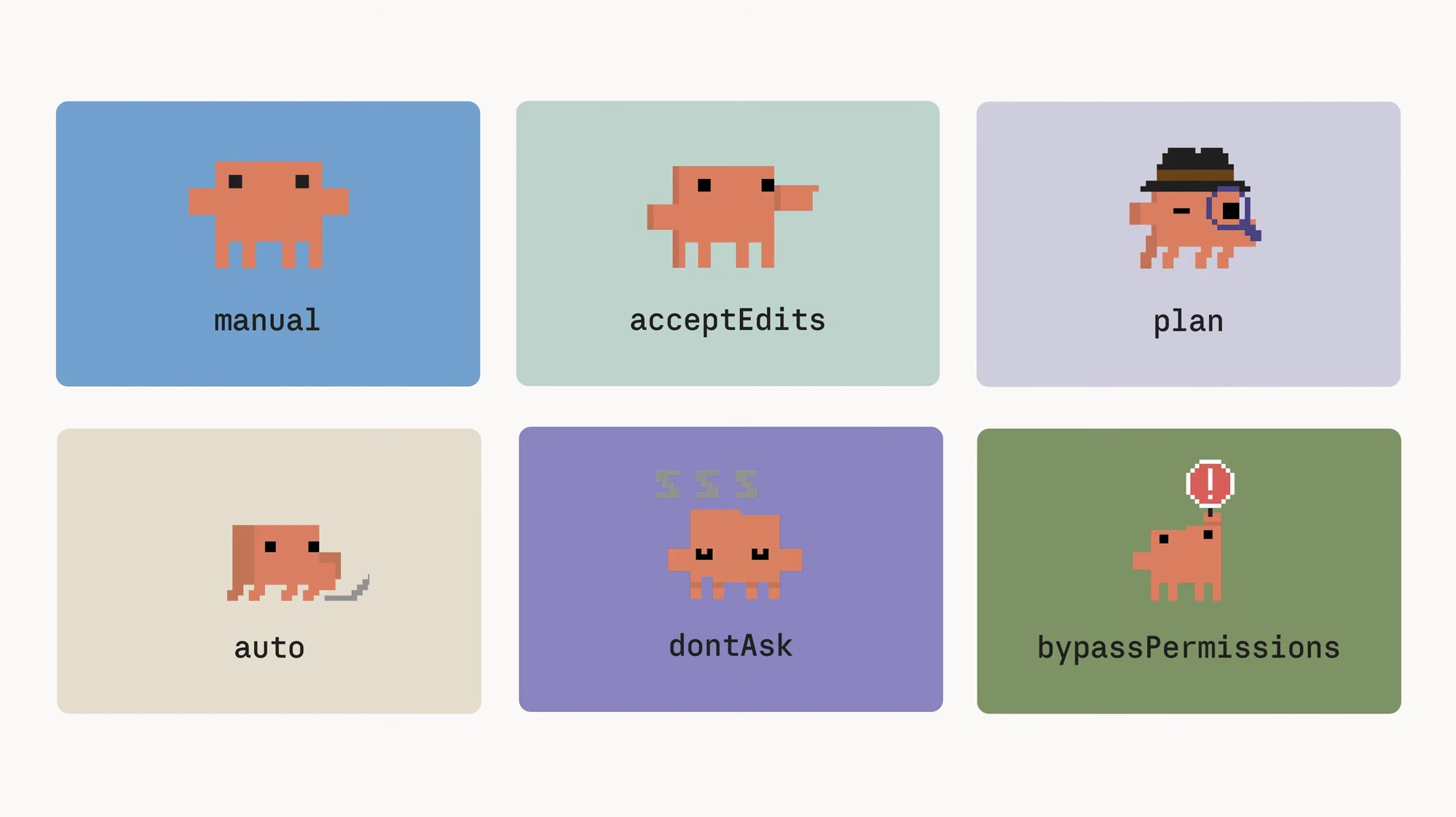
What a permission mode is, and why you set it once
A permission mode lets you decide once what Claude Code may run without checking with you each time. Claude Code does real work — it reads and edits files, runs terminal commands, installs packages — and if it asks 'may I do this?' before every single action, longer tasks keep you tethered to the approval prompt. A permission mode sets that bar in advance so Claude proceeds without asking inside a safe range.
Setting it is simple. In Claude Code, hold shift and press tab to cycle through the modes in order. Four of them — manual, acceptEdits, plan, auto — rotate through this cycle, and the status bar at the bottom shows which one you are in. The other two, dontAsk and bypassPermissions, are for special cases like unattended runs or isolated environments.
The point is to match the mode to the job. Early on, when you want to eyeball every change line by line, a mode that asks a lot is safer; once the direction is set and only repetitive work remains, a mode that asks less is faster. Below, the six modes are walked through in order of how much they auto-allow.
| Mode | What it does automatically | When to use it |
|---|---|---|
| manual | Reads only; asks before everything else | Working carefully, confirming one action at a time |
| acceptEdits | Reads + file edits + common file-system commands | Iterating on code and reviewing later in one pass |
| plan | Reads, researches, proposes only; no editing | Getting a plan before any execution |
| auto | Runs everything; classifier blocks dangerous actions | The hands-off default |
| dontAsk | Pre-approved tools only; the rest auto-denied silently | CI, overnight batches — no one to approve |
| bypassPermissions | Skips all checks | Only inside an isolated container or VM |
The ask-every-time side — manual and plan
manual is the most conservative mode. Claude Code allows reads without asking, but every other action — editing a file, running a command — requires your confirmation before it runs. It suits moments when you want to see and approve each change one by one, or when you are handling an unfamiliar codebase carefully.
plan mode also reads only, but its purpose differs. plan investigates the code and proposes a plan of what it would change and how, without actually editing files. Before a large task, you let Claude survey the code and lay out an execution plan, then read it and steer the direction. The more thorough the plan, the less room for drift during execution.
The review-later side — acceptEdits
acceptEdits proceeds without asking for reads, file edits, and frequently used file-system terminal commands. You don't press an approval button each time Claude changes code; the flow continues and you review the results all at once afterward.
So acceptEdits fits a 'iterate fast now, review later' style of work. It is especially efficient when polishing code whose direction is already fixed. The catch is that, because edits are confirmed after the fact, you must actually go back and check what changed.
The hands-off default — auto mode and its classifier
When you want to step back and delegate, the first mode to consider is auto. In auto mode Claude executes actions without asking, but a separate classifier model reviews each action just before it runs. It blocks only the actions it judges dangerous and lets the rest of the everyday work through. So it is 'everything automatic,' but with only the dangerous moves picked out and stopped.
What the classifier blocks are moves that escalate beyond your request: production deploys and database migrations, force pushing, piping downloaded code straight into a shell, sending sensitive data to external endpoints, deleting files the session needs. What it lets through is everyday work: local edits inside your project, installing dependencies listed in your lockfile, read-only requests, and pushing to your own branch.
auto sits at the end of the shift+tab cycle, so it is easy to turn on, and the status bar confirms you are in auto. It is called the hands-off default because the classifier guards the dangerous boundaries even when no human stays behind to approve.
The classifier's blind spot, and the stop hook
The auto classifier has a clear limit. It guards intent, but it does not check whether the code actually works. If you ask Claude to refactor authentication and it writes broken authentication, the classifier waves it through — because broken is not dangerous.
That is why auto is meant to be used with a stop hook that runs your tests. A stop hook is a check that runs automatically when Claude finishes a turn; wire your test run into it, and while auto guards 'what Claude is trying to do (intent),' the hook confirms 'whether the code actually runs (correctness).' The classifier owns intent, the hook owns correctness.
auto's guardrails are still evolving, so the lists of what is blocked and allowed keep changing. When you actually use auto, check the official docs for the current block and allow lists.
{
  "hooks": {
    "Stop": [
      { "hooks": [ { "type": "command", "command": "npm test" } ] }
    ]
  }
}
dontAsk for unattended pipelines, bypassPermissions for isolation
dontAsk is for automation where no human is there to approve. It allows only the tools you pre-approved and auto-denies anything not on that list, without prompting. In CI pipelines, scheduled jobs, or overnight batches, it keeps the pipeline moving instead of hanging on an approval prompt no one will click.
bypassPermissions skips all checks. It is the same as Claude Code's 'dangerously-skip-permissions' setting — it runs anything with no classifier and no approval. Precisely because it is that risky, run it only inside an isolated container or virtual machine (VM). It is not a mode to leave on in your real working environment.
Conclusion — match the mode to the job
There are several permission modes, but the everyday ones are within reach of the shift+tab cycle. The hands-off default is auto, and its safety is held in two layers: before an action runs, the classifier checks intent; after a turn ends, the stop hook checks that the code actually runs.
Unattended pipelines with no one to approve are covered by dontAsk, and bypassPermissions, which skips every check, belongs only inside isolated containers and VMs. It folds into one rule: decide how far to step back based on the job rather than on nerve, and pick the permission mode that fits it.