What CLAUDE.md is
Start with the file. When you work with Claude Code, CLAUDE.md is a markdown file where you write down what you want it to know, so you do not have to explain from scratch each time. It loads automatically with every new conversation.
What typically goes in: what this project does, which commands run and test it, which libraries not to use, whether answers should be in a particular language.
One misconception arises here — that this file is enforced like a config file. It is not. CLAUDE.md is a set of instructions read alongside your prompt, and being read is not the same as being followed. So the longer the file gets, the more the rules compete for room, and the instructions that matter get buried under trivial ones.
An earlier piece here, "How do you write a CLAUDE.md that Claude actually follows?", was about that. This one is not about how to write a single file but about where to put it.
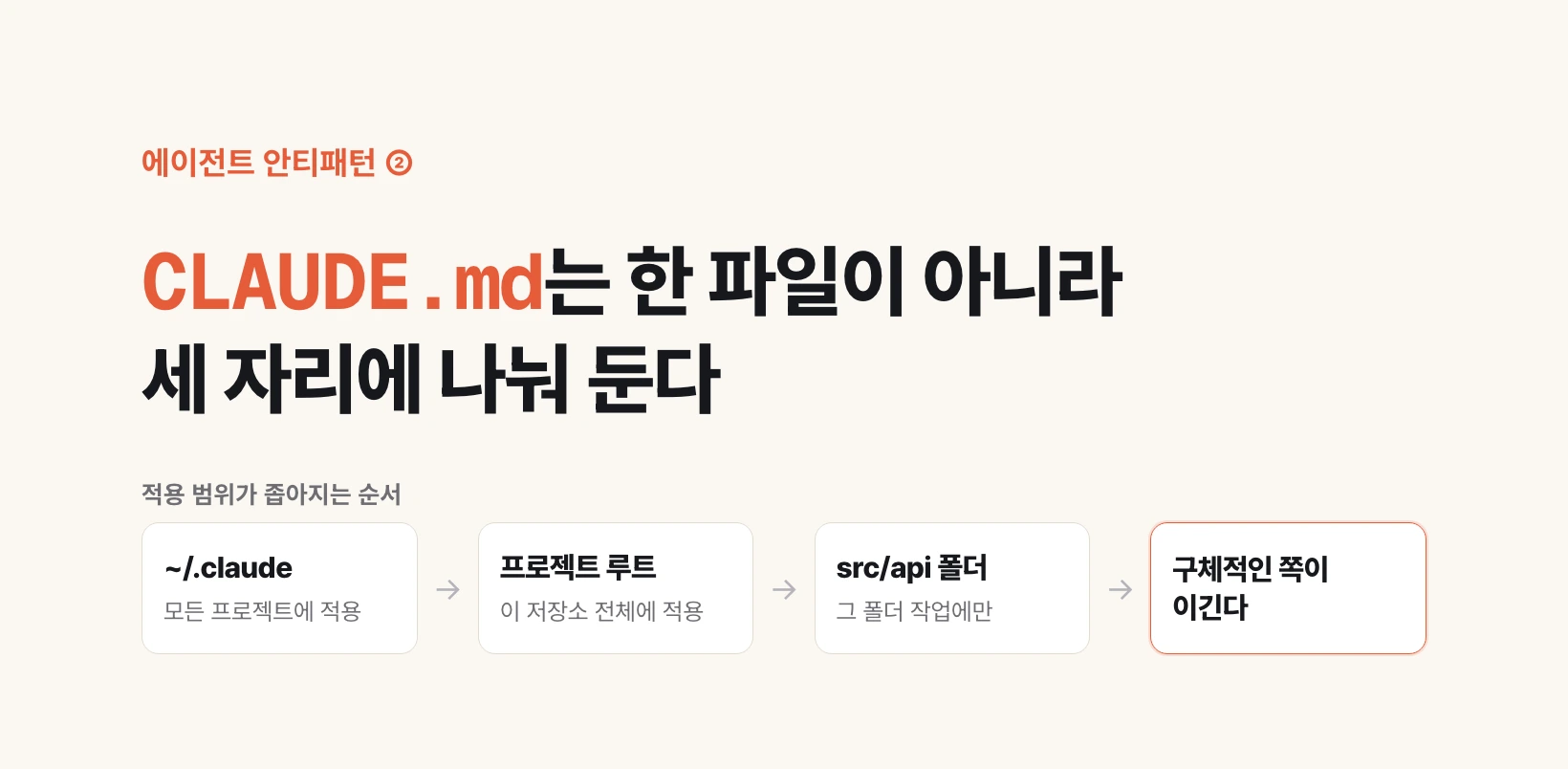
Three places — where you put it decides how far it reaches
The recommended layout has three levels. Same filename; the reach changes with the location.
| Location | Scope | What belongs there |
|---|---|---|
| Home directory (~/.claude/CLAUDE.md) | Every project on your machine | Answer language, commit message habits, standing preferences |
| Project root (./CLAUDE.md) | That whole repository | What the project is, run and test commands, repo-wide prohibitions |
| Individual folder (./src/api/CLAUDE.md) | Only when working in that folder | Rules that exist only in that area — API response shapes, local code conventions |
All three load — and the more specific one wins
These are not alternatives where one gets picked. Everything that applies loads and merges.
So rules do end up contradicting each other, and when they do, the most specific file wins. A folder's CLAUDE.md beats the project root, and the project root beats your home directory.
Why that order feels natural is easiest to see through company policy. Company-wide rules, department rules, team rules — when the three disagree you follow the nearest one.
The point is not that a precedence order exists but that it only works if you split the files so it has something to order. If everything sits in one file there is no axis to rank along.
What breaks when it is all one file — the quiet collision
This is the core of the anti-pattern. The problem is not that there are many rules; it is that rules leave their own territory.
Say an instruction needed only in the frontend folder — "do not use inline styles, use utility classes" — sits at the project root. It follows you into writing a data-cleanup script. There are no styles in a data script so nothing should happen, but something does: an irrelevant instruction still gets read, and reading it shaves relative weight off the ones that matter.
The worse case is when they genuinely disagree. The root says "annotate types on every function" while one folder deliberately relies on inference — those two collide every time.
And the collision does not surface as a failure. Nothing breaks, no warning appears. It shows up as results drifting slightly off, and nothing anywhere records which line fought which. So it lasts.
Which lines move where — one question
When you actually clean this up, one question per rule is enough: "does this rule hold for every folder in this repository?"
If yes, leave it. If no, move it into the CLAUDE.md of the folder where it actually applies. If there is none, create it. The filename is CLAUDE.md everywhere.
You can go one level up too: "does this rule hold for all my work, not just this project?" If so, promote it to your home directory. Answer language and commit message habits belong there.
The point is relocating, not deleting. This is not an argument for fewer rules — it is an argument for not having them read where they do not belong.
~/.claude/CLAUDE.md          # applies to every project

my-project/
├── CLAUDE.md                # applies to this repository
├── src/
│   ├── api/
│   │   └── CLAUDE.md        # only when working in api/
│   └── web/
│       └── CLAUDE.md        # only when working in web/
└── scripts/
One thing to try today
Open your CLAUDE.md and read down it line by line asking, "does this rule hold for the whole repository?" If the file runs past twenty lines, three or four will come back no.
Cut those lines and paste them into that folder's CLAUDE.md. Create the file if it does not exist. That is the whole task.
The effect shows up from the next conversation. Irrelevant instructions stop getting dragged into unrelated work, and the rules you actually want followed read louder by comparison.
Next up is the third anti-pattern: how many tools you can attach to a single agent.