Why a long session needs steering
A short task is done the moment you prompt it and watch the result. But a task that takes hours — a refactor across a dozen files, a new feature — is different, and steering it in the right direction can even make it take longer. So a long session needs steering, not just leaving it alone.
Two habits are the core of steering. First, scope the work before Claude starts. Second, steer it in the right direction while it runs. The six tools below make both habits real — Plan Mode, Compact, Rewind, Goal, Loop, and Worktree.
Scope the work first — Plan Mode
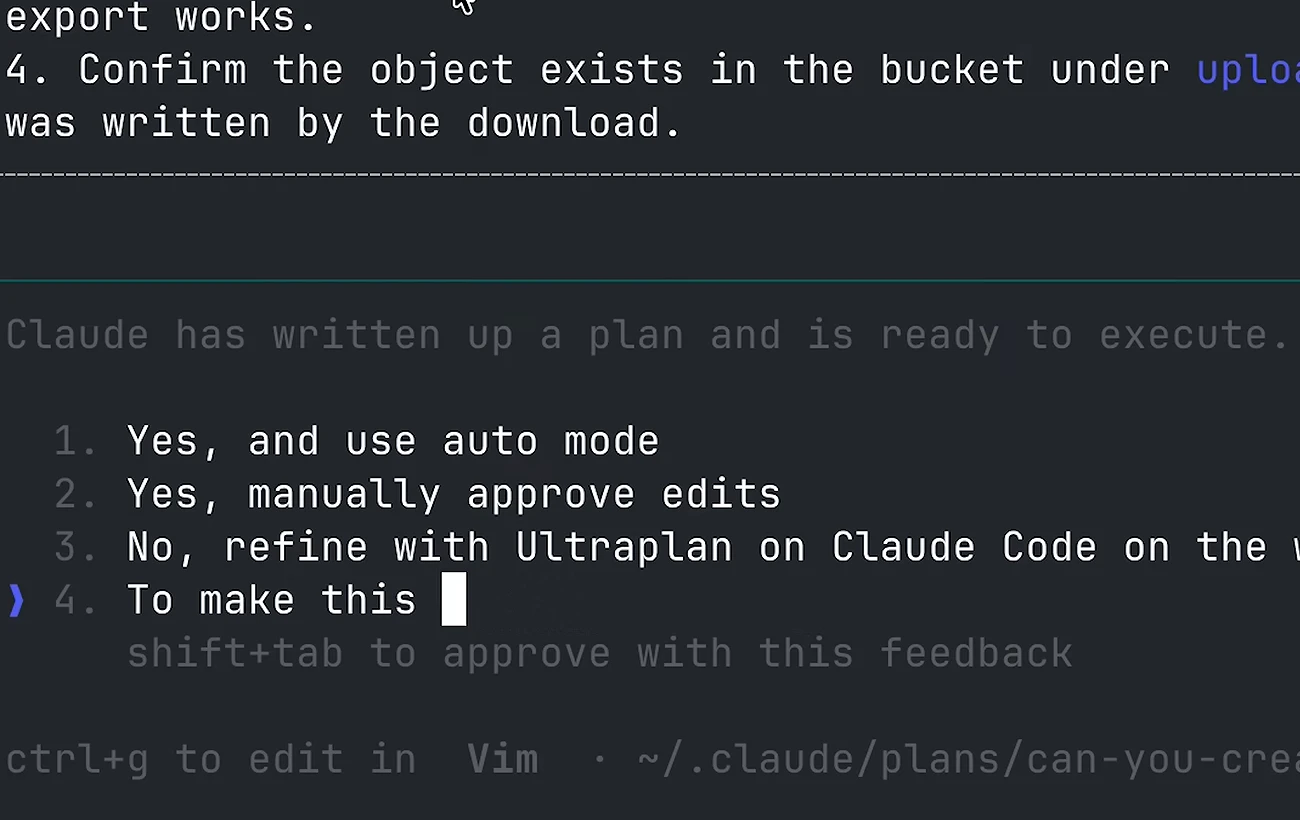
In Plan Mode, Claude researches the code in read-only mode without editing files, then hands you a plan of what it would do and how. Once the plan is there, actually read through it. The more thorough the plan, the less likely you'll hit hiccups when Claude executes.
To revise the plan, just ask Claude to add what you want where you want it. Iterating over a plan a few times is much faster and safer than simply hoping for the best and jumping straight to execution.
Free the context while keeping direction — Compact
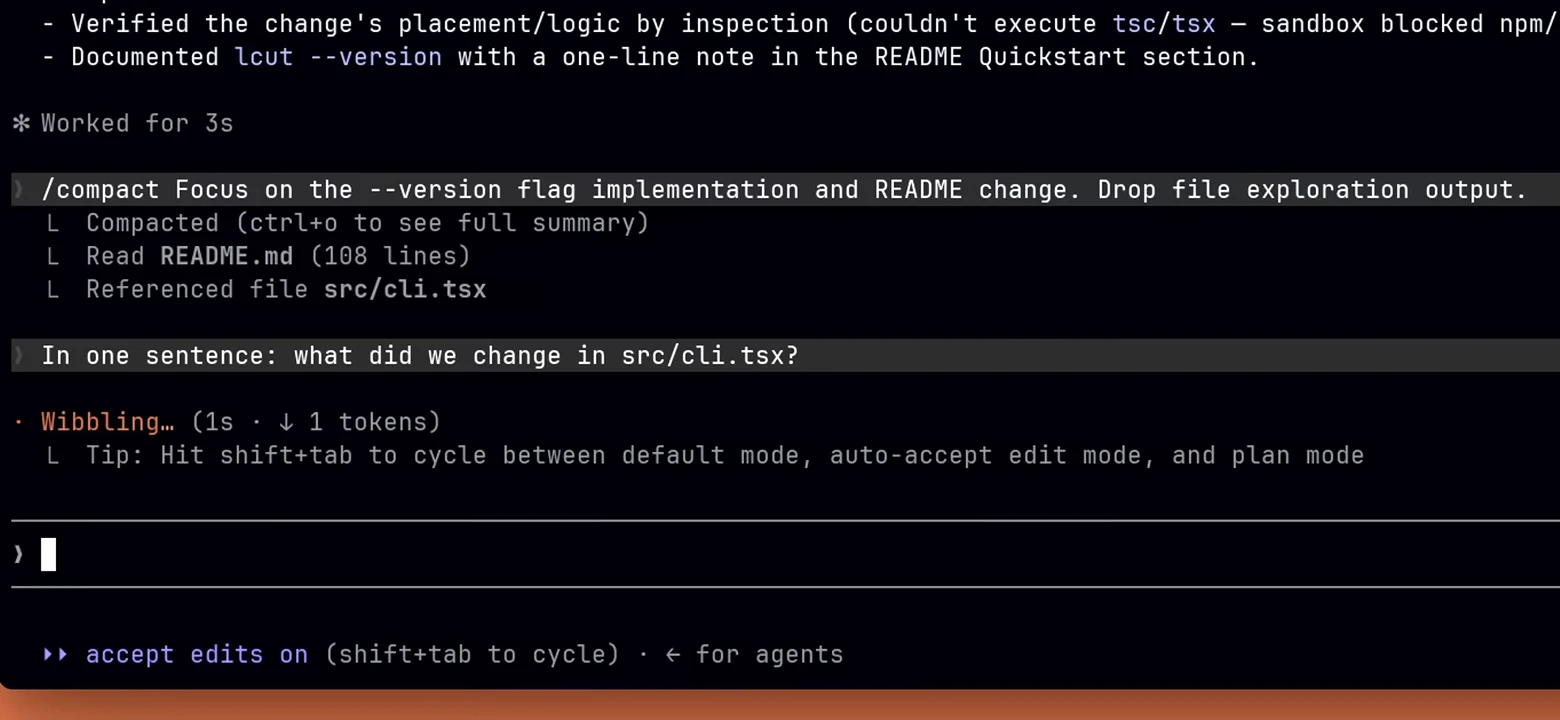
Compact summarizes the conversation so far, uses that as the new context, and deletes the old — freeing the context window. It helps when a long session has grown heavy. There's one risk: if something important is dropped in the summary, Claude can drift in the wrong direction.
So when you run the compact command, add in what to keep and what to drop. Instructions after the command tell Claude how to summarize. If you were done debugging a while ago and now want to focus only on the API changes, say exactly that — drop the debugging output and keep the API changes.
Course-correct when it goes wrong — Rewind
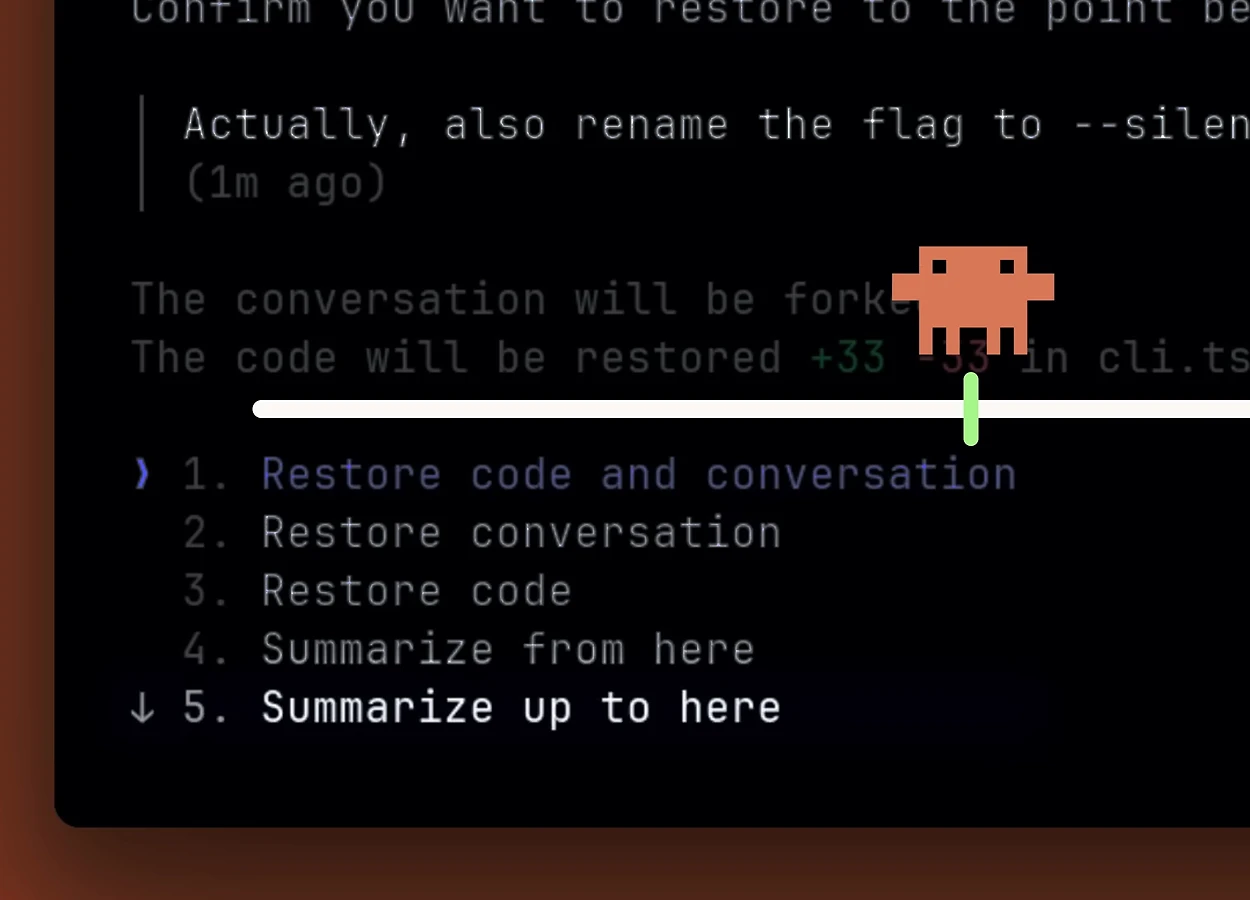
When Claude goes down the wrong path, you don't have to prompt your way out of it. Rewind takes you back to the last checkpoint. To open it, double-tap escape on an empty prompt and you'll get the rewind menu. Every prompt you sent creates a checkpoint you can revert to.
You have options: restore the code, the conversation, or both. 'Summarize from here' summarizes everything after the checkpoint — great when you had a side conversation and just want to free up space. 'Summarize up to here' summarizes everything before the checkpoint — great when you want to fold up a long setup phase but keep the implementation parts.
Delegate a completion condition — Goal
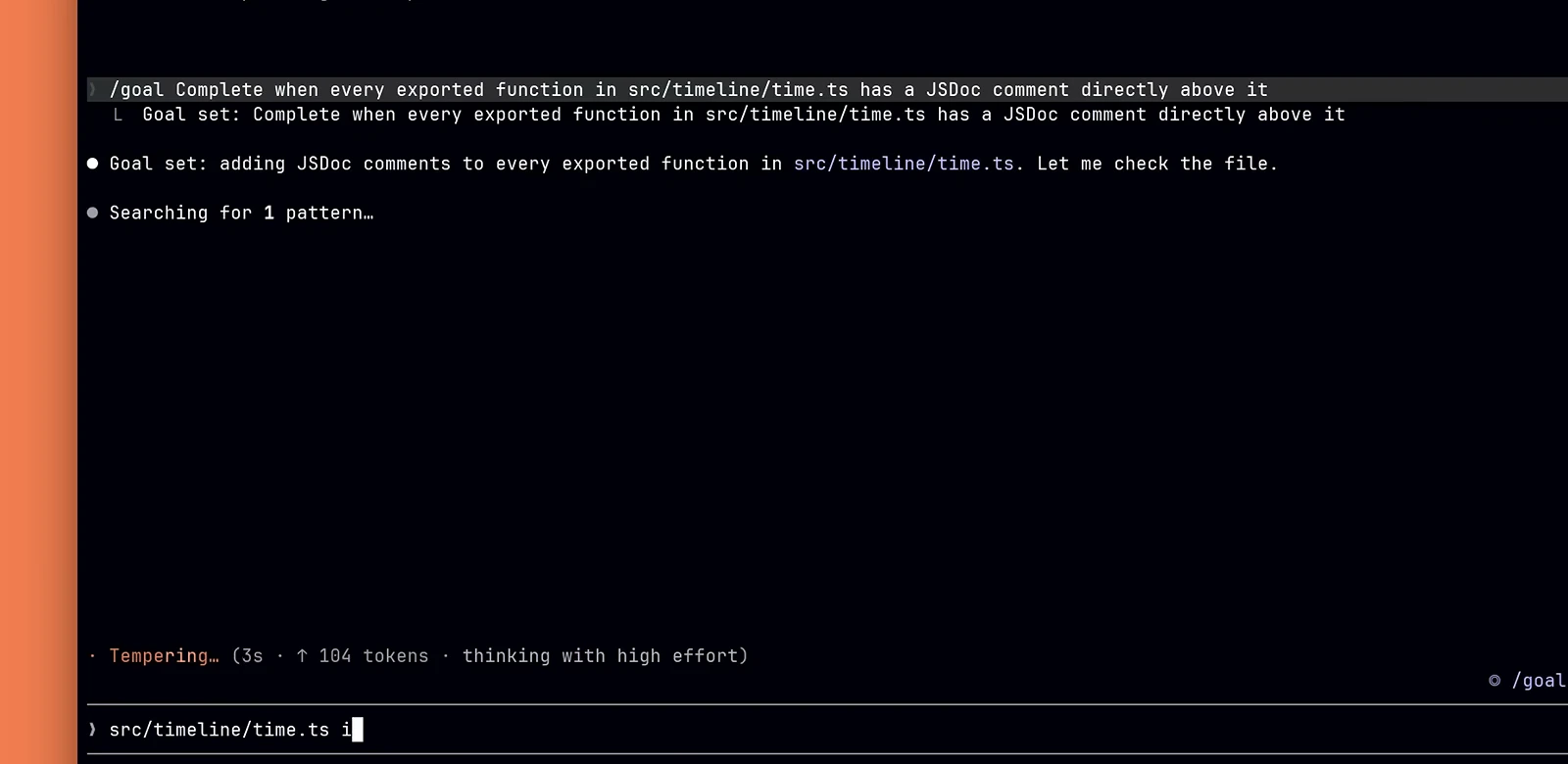
If everything so far is the hands-on way to steer, Goal is what you reach for when you want something more autonomous. Goal sets a completion condition. Describe what done looks like, and Claude keeps working across turns until a fast evaluator confirms those conditions are met, instead of stopping the first time it thinks it's finished.
For example, you could set a goal like 'all tests in src/billing pass and the type checker reports zero errors.' To cancel, clear the goal. One constraint: the evaluator only reads the transcript, so the condition has to be checkable from the output Claude produces — like the test results it actually ran.
Watch external state and react — Loop
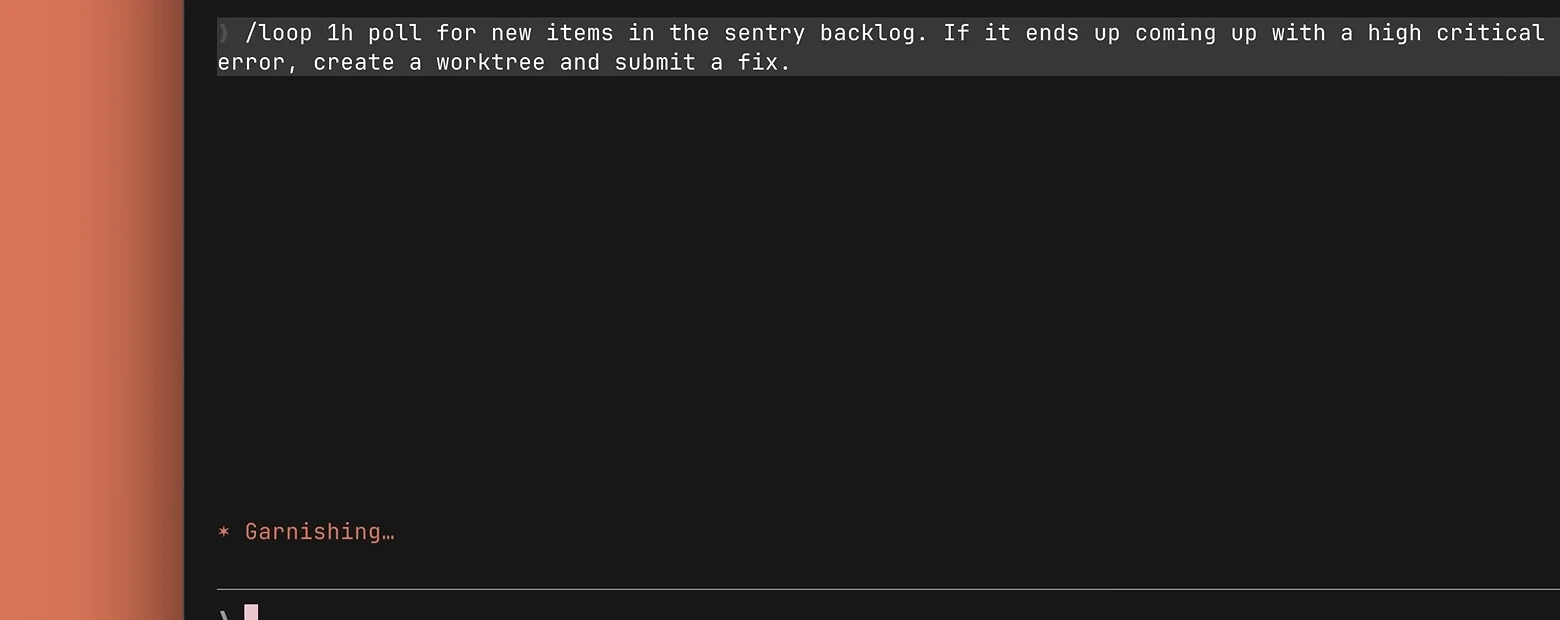
Loop runs a prompt on an interval between turns — fixed or self-paced. Use it to pull in something external, like a CI run or a deploy, and act when that state changes.
For instance, it can periodically poll for new items in a backlog and, when a critical error shows up, create a worktree and submit a fix. Press escape to stop it.
Prevent agents from colliding — Worktree
The steering so far assumes one steering wheel in one car. But when several agents work on the same codebase at once, two steering wheels in one car is unsafe. This is where worktrees come in. Worktrees keep two or more Claude sessions from fighting over the files in one repository, by giving each an independent file tree.
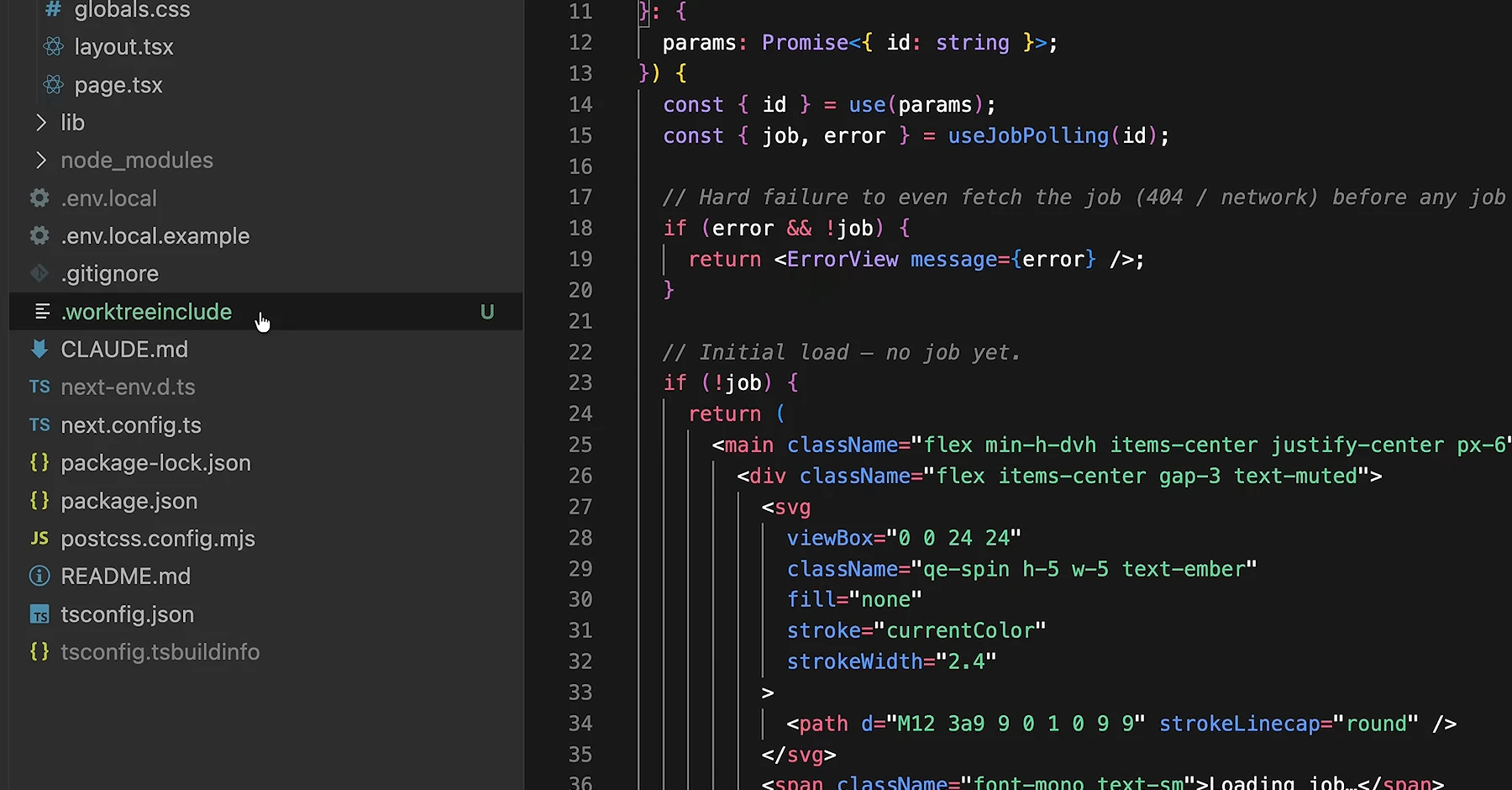
When you exit, a clean worktree with no changes is auto-removed. And a `.worktreeinclude` file at the repo root lists the git-ignored files to copy into each worktree — things you need for the work but don't want to commit to version control, like an environment-variable file or a local config.
Conclusion — scope first, then steer
When you handle a long Claude Code session, scope the work first and then steer. Direct your compaction so the summary keeps what matters, and use the rewind menu to course-correct. Set a goal when you can describe done better than you can describe the steps, and run parallel work in worktrees.
Do that, and you can trust a long run without babysitting it. In the end, what makes an hours-long session trustworthy isn't leaving it alone — it's steering.