Why screens alone still need a human every time
Code quality already has automatic machinery. Lint blocks rule violations, type checking enforces shape, tests protect behavior. All three run without anyone watching, and breaking them blocks the merge.
Screens are different. Whether contrast collapsed, whether a card is two layers deep, whether text clips on mobile — a reviewer usually decides those by eye. So it passes when the reviewer is busy, and the standard shifts when the reviewer changes. The same note resurfaces months later.
Handing screens to AI makes this bigger. An agent produces in an hour what a person produced in a day, while review still runs at human speed. Unless you separate what can be checked automatically from what genuinely needs a person, the bottleneck stays exactly where it was.
More is machine-checkable than people expect: contrast ratio, line height, touch target size, skipped heading levels, nested cards, color pairings — anything decided by a value. Push those into CI and let people concentrate on hierarchy and meaning.
One exit code is the whole gate
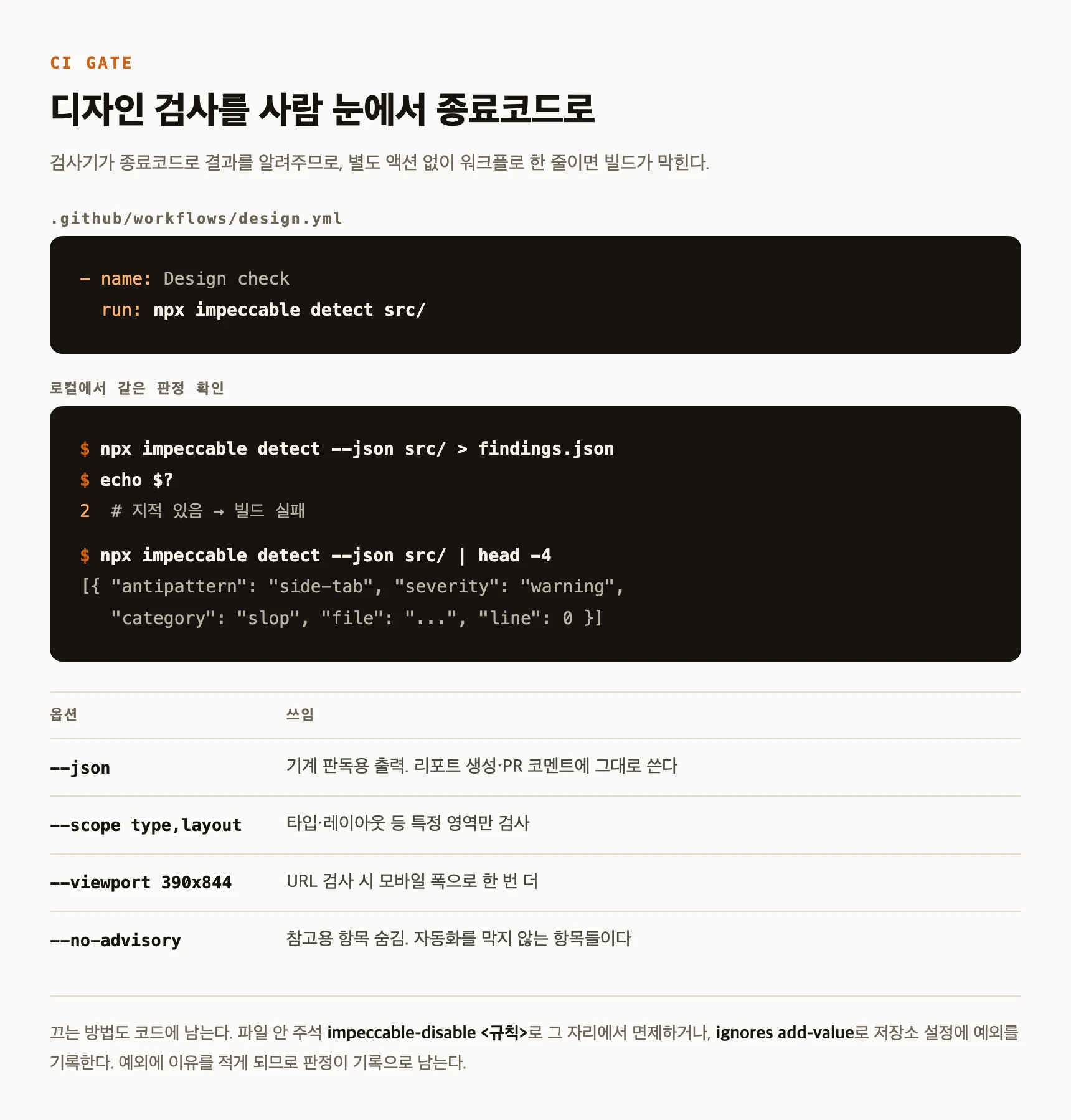
Impeccable's detect reports through the exit code. It ends non-zero when it finds something and 0 when it does not. CI treats a non-zero command as a failed step, so a single command line in the workflow becomes a gate with no action or plugin in between.
In practice it looks like this. Run it on a single HTML page written with the usual tells and you get 17 findings and exit code 2. Fix only what was flagged, run again, and you get 0 findings and exit code 0. That one difference is what splits the pipeline.
Two places are worth wiring. One step targets the source folder; another targets the preview deployment URL. As the next section explains, the two catch different things.
Not calling an LLM matters especially in CI. There is no API key to store as a secret, the same input yields the same result, and runtime and cost are predictable. A check whose verdict drifts with a model response cannot serve as a gate.
- name: Design check
  run: npx impeccable detect src/

# to check the deployed preview as well
- name: Design check (deployed)
  run: npx impeccable detect ${{ steps.deploy.outputs.preview-url }}
The target decides how it inspects
It is one command, but what happens inside depends on what you hand it. An HTML file is analyzed statically, linked CSS included. Files such as JSX, TSX and CSS are swept by pattern matching. Give it a URL and it opens the page in a real browser and reads the screen after rendering.
That difference is where teams get confused. Scanning component source catches whatever shows up as a value, but misses whatever only appears once things are composed. A small label sitting directly above a heading, or the final contrast value, can only be judged after the screen is assembled. That is why a source scan can report zero while the deployed URL still gets flagged.
So if you only wire one gate, the preview URL catches more. The tradeoff is speed: a URL scan launches a browser and runs slower than a source scan. Running the source scan on every push and the URL scan once a preview exists is a reasonable split.
Four options are enough day to day. json gives machine-readable output, good for generating a report or posting a PR comment. scope limits the check to a domain such as type or layout. viewport changes the width for URL scans so you can take a second mobile pass. no-advisory hides findings classified as advisory outright.
npx impeccable detect --json src/ > findings.json   # for reports
npx impeccable detect --scope type,layout src/      # limit the domain
npx impeccable detect --viewport 390x844 <URL>      # second pass at mobile width
npx impeccable detect --no-advisory src/            # hide advisory findings
Exceptions stay in the code, with a reason
Put up a gate and you will need exceptions. The brand's chosen typeface may sit on the overused list, or one page may deliberately break a rule. Rather than switching the check off wholesale, there are two ways to record it.
The first is an in-file comment. Write impeccable-disable followed by the rule name and a reason and it is waived in that file. There is a one-line form too. Because the exception sits next to the code, moving or deleting the file removes the exception with it.
The second is repository config. The ignores command registers a rule, a file path or a specific value as an exception across the repository, and it takes a reason so you can trace later why it was opened.
Both share one property: the exception lives in a file, not in a conversation. An exception agreed verbally in review does not reach the next person; one written into the repository does.
<!-- impeccable-disable overused-font -- brand typeface -->

/* impeccable-disable-line dark-glow */

npx impeccable ignores add-value overused-font Inter --reason "Brand font"
npx impeccable ignores list
Catching it before the commit
CI is the last net. Getting caught after the thing is already built costs rework. So on supported tools a hook is installed alongside, running the detector the moment a UI file is edited and feeding findings back into the agent flow.
The moment of intervention differs by tool. Cursor blocks a bad proposed write before it lands; the others report after the edit is done. Either way, one pass happens before a human opens the review.
Whether to use the hook is asked during install. If you dislike automation interrupting the editing flow, skip it and wire only CI. Conversely, a team handing lots of screen work to agents gets more value from the hook, because a finding that comes back immediately can be fixed by the agent in the same context.