What are you actually installing?
i-have-adhd is an agent skill that changes the output format of a coding assistant. An agent skill is a single markdown file (SKILL.md) that says "in this situation, behave like this," which the assistant then adopts as its own rules. It runs no code and starts no server. Think of it as one page of instructions handed to the assistant.
In Claude Code the skill ships as a plugin. A plugin is the packaging unit that lets you install extension pieces — skills, hooks, commands — as one bundle. This one contains the skill itself (SKILL.md) and a single session-start hook. A hook is a script that runs automatically when a session begins; here it exists only to handle the always-on option.
The author is Ayoub G. (github.com/ayghri) and the license is MIT. At the time of writing the plugin is at version 0.1.0. This is not my project — I tried it and am passing it along; the original repository link is at the end.
The name misleads people. You do not need an ADHD diagnosis to use it. The repository says so in its first line. If you spend time hunting through a long answer for the one line you needed, you are the target reader.
Install — two commands

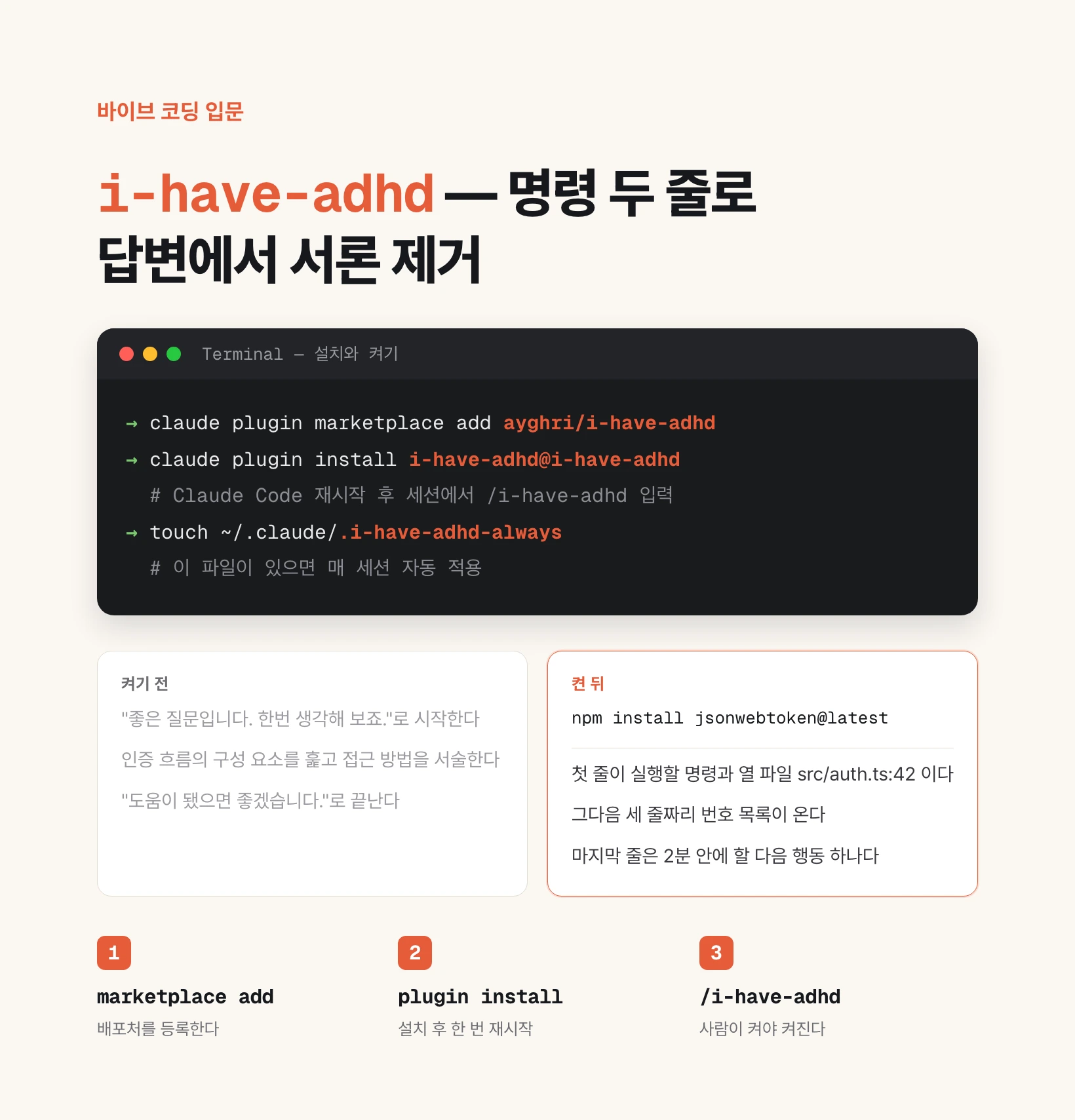
Run these two lines in a terminal, in order. The first registers the marketplace; the second installs. Seeing the name twice in `i-have-adhd@i-have-adhd` is not a typo — the format is `<plugin>@<marketplace>`, and in this repository both happen to share a name.
You do not need to clone the repository. Claude Code fetches it and keeps it updated.
Restart Claude Code once after installing. The plugin index is read at startup, so `/i-have-adhd` will not appear in autocomplete before a restart.
To confirm the install, run `claude plugin list`. Later, update with `claude plugin marketplace update i-have-adhd`; remove with `claude plugin uninstall i-have-adhd` plus `claude plugin marketplace remove i-have-adhd`. To keep it installed but switch it off, use `claude plugin disable i-have-adhd`.
claude plugin marketplace add ayghri/i-have-adhd
claude plugin install i-have-adhd@i-have-adhdclaude plugin list
claude plugin marketplace update i-have-adhd
claude plugin uninstall i-have-adhd
claude plugin marketplace remove i-have-adhdTwo ways to turn it on
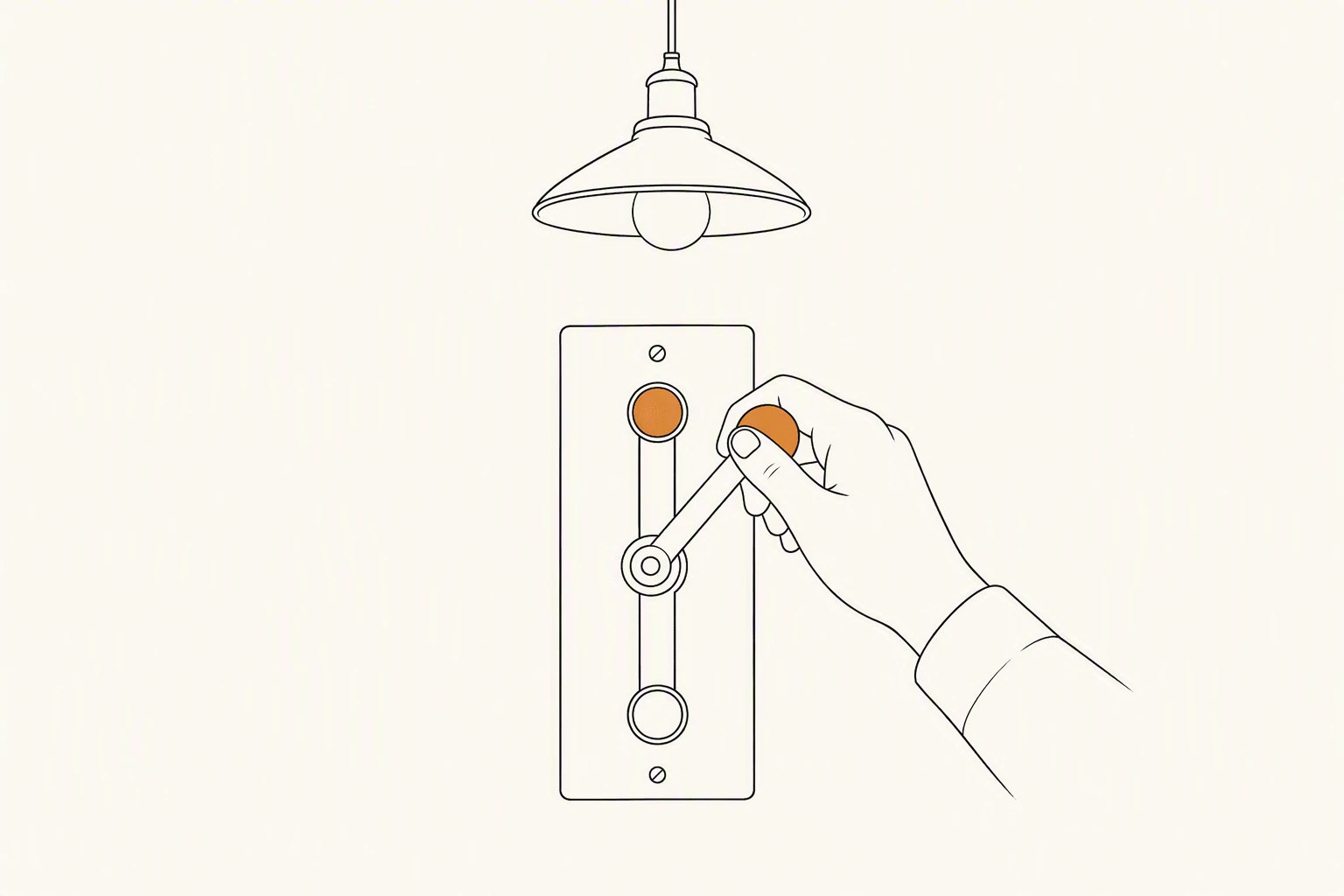
This is where people get confused. Installing it does not change your answers. The SKILL.md frontmatter carries `disable-model-invocation: true`, so in Claude Code the model cannot find and apply the skill on its own. A human turns it on. There is no middle ground — if you did not turn it on, it is off.
The first way is on demand. Type `/i-have-adhd` in a session and the rules apply for that session. To stop, write "stop adhd mode" or "normal mode" in the chat.
The second way is always on. Create an empty file called `.i-have-adhd-always` inside `~/.claude/`. The command that creates it is `touch`. While that file exists, the plugin's hook loads the full ruleset at the start of every session. Delete the file to go back.
If you have moved your config directory (by setting `CLAUDE_CONFIG_DIR`), the hook follows that path. The hook only fires when the file exists, so installing the plugin changes nothing by itself.
Even with always-on enabled, "stop adhd mode" still turns it off for the current session.
touch ~/.claude/.i-have-adhd-always   # applied at every session start
rm ~/.claude/.i-have-adhd-always      # back to invoking it yourself
What changes in the output
The repository shows the same question answered both ways. Asked to fix some auth code, the before answer opens with "Great question! Let me think about this," walks through the pieces of the auth flow, describes an approach, mentions in passing that the dependencies are stale, and closes with "Hope this helps!" All the information is there, but what to press right now is buried mid-paragraph.
The after answer opens by telling you to run `npm install jsonwebtoken@latest` and open `src/auth.ts:42`. Then a three-item numbered list. The last line is "paste the first failing line if any test fails." Same content — but what the reader does next sits in the first line and the last line.
There are ten rules, with the full text in the repository's SKILL.md. Each one targets something specific — working memory, the cost of starting, the flatness of time estimates — not a style preference.
| # | Rule | What it prevents |
|---|---|---|
| 1 | Lead with the next action | The command you must run sliding below the context |
| 2 | Number multi-step tasks | Order collapsing inside one sentence with two "and then"s |
| 3 | End with a next action under two minutes | Work dying between "got it" and "done it" |
| 4 | Suppress tangents | A second problem interrupting before the first is closed |
| 5 | Restate state every turn | Being asked to hold "step 3 of 5" in your head |
| 6 | Specific time estimates | "A bit of work" reading the same as "an afternoon" |
| 7 | Make wins visible | Progress buried inside a recap |
| 8 | Matter-of-fact errors | "Uh oh" pushing cause and fix down the page |
| 9 | Cap lists at 5 items | Ten unranked lines |
| 10 | No preamble, recap, or closer | "Let me…" and "Let me know if you need anything else" |
Where the rules release themselves

A brevity rule that deletes the answer is a bad rule. So the skill carries its own override conditions. There are six.
When you ask it to explain or walk you through something, the length limit lifts and it explains fully. Still no preamble and no closer, but with headers so you can skim back later.
In front of a hard-to-reverse command (`rm -rf`, a force push, a schema migration, dropping a table), confirming beats being brief.
If the last three turns have been the same failure, it stops iterating on code, names the assumption that might be wrong, and asks one diagnostic question.
If the request itself is ambiguous, one short clarifying question beats guessing and rewriting. Asked for options, it gives two to four with the recommendation first rather than one path. And when a rule fights the agent harness, the harness wins.
If you are not on Claude Code
Several tools read the same SKILL.md directly. No conversion needed.
Codex needs `--ref main` on the marketplace command and uses `plugin add` to install. You invoke it with `$i-have-adhd`. Unlike Claude Code, Codex allows implicit invocation, so it may turn itself on for a task that looks like a fit.
Tools that read agent skills — Cursor, GitHub Copilot, OpenCode, Amp — take `npx skills add ayghri/i-have-adhd`. Use `-a <agent>` for one tool only, `-g` for all projects.
In Zed, open the Skills manager in the Agent Panel, choose "Create skill from URL," and paste the SKILL.md address. Gemini CLI has no marketplace, so it splits in two: download one command file into `~/.gemini/commands/` and it stays opt-in, or install it as an extension and the rules apply from the first message.
You can also paste the rules straight into a config file. INSTALL.md provides a ten-line summary block per tool — `~/.codex/AGENTS.md` for Codex, `.github/copilot-instructions.md` for Copilot, User Rules for Cursor.
# Codex
codex plugin marketplace add ayghri/i-have-adhd --ref main
codex plugin add i-have-adhd@i-have-adhd

# Cursor, Copilot, OpenCode, and other agent-skills harnesses
npx skills add ayghri/i-have-adhd -a cursor -y
npx skills add ayghri/i-have-adhd -g
When it does not work
Four symptoms, and the causes are mostly fixed.
`/i-have-adhd` missing from autocomplete: restart the agent. The plugin index is read once at startup.
You created the always-on file and nothing happened: update the plugin and restart. Hooks are also read at startup, and this feature needs the version that ships `hooks/hooks.json`.
`claude plugin marketplace add` fails: check that you used the `owner/repo` form. A local path must point at the repository root, not at `.claude-plugin/`.
Installed but the replies still open with preamble: start a new session. If it still drifts, tighten the wording in SKILL.md yourself. To change the rules, fork the repository, edit SKILL.md, remove the upstream copy first (fork and upstream share a name), then register your own repo as the marketplace.
For the record, the ruleset is loosely based on *The Adult ADHD Tool Kit* by J. Russell Ramsay and Anthony L. Rostain — adapted for how a language model should answer, not how a person should organize their day.
Source (MIT): github.com/ayghri/i-have-adhd