The IP address settles which computer
Every computer on the internet carries a unique address. That is the IP address.
It looks like four numbers separated by dots, as in 192.0.2.10, each from 0 to 255. That range exists because one slot is eight bits, which expresses 256 possibilities.
Know the address and you know which computer on the internet is meant. Your laptop has one too. That is what the previous post meant by saying your own machine can be a server.
The port settles which door on that computer

But one computer does more than one job. It runs a web service, a database, and development tools all at once. The address alone cannot say which of them a request is for.
So there are many doors. Like one harbor with many gates, each with its own procedure. The gate number is the port.
Some numbers have settled into convention. Port 80 is unencrypted web, 443 encrypted web. Seeing 3000 or 8000 during development is the same thing: those are the numbers those tools conventionally use.
So a request goes to a door number on a computer. Not one address but two.
| Port | Used for | Where you see it |
|---|---|---|
| 80 | Unencrypted web | Addresses beginning http |
| 443 | Encrypted web | Addresses beginning https |
| 3000 | Frontend dev server | While npm run dev is up |
| 8000 | Backend dev server | While FastAPI and similar are up |
| 5432 | PostgreSQL | Database connection settings |
A domain is those numbers rewritten as a name
Nobody memorizes four numbers. They are harder to hold than a phone number and impossible to print as guidance. So we attach names.
Buy a domain and the registrar records with the global registries that this name means this IP. That lookup table is DNS, short for domain name system, and you can edit those links yourself in the registrar's settings.
The piece in front of the name is a subdomain. www is the most common, but api or blog appear too. The point of it is to route one name to different servers: www to the web server, api to the backend. Using the bare name with nothing in front is equally valid.
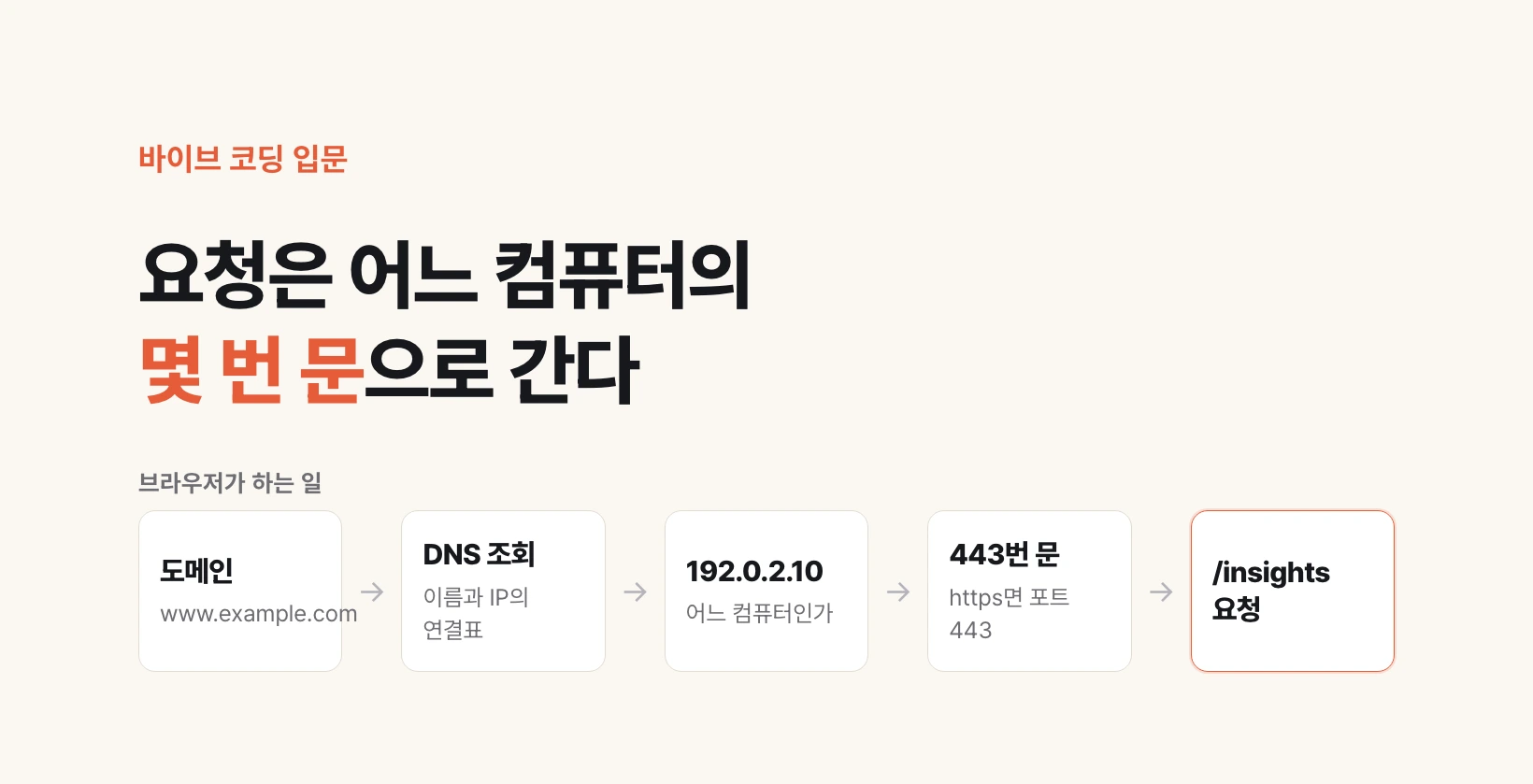
What about the port? The browser fills it in. Start with http and it uses 80; start with https and it uses 443. That is why nobody types a number into the address bar.
what a person types   https://www.example.com/insights

what the browser builds  protocol  https  → port 443
                         name      www.example.com
                         DNS lookup → 192.0.2.10
                         path      /insights

actual request           ask 192.0.2.10 on port 443 for /insights
Three places to look when a page will not load
Knowing this structure narrows a failure to three places.
One, does the domain point at the right IP? If you just changed a DNS setting, it takes time to propagate worldwide. There is a waiting window before you can conclude anything is broken.
Two, is the server at that IP alive? The domain may resolve perfectly while that computer is powered down or the program on it has died.
Three, is the port that should be open actually open? The server can be alive while a firewall blocks that door, so the request never arrives. On cloud services you open that door in the security group settings.
Searching without knowing which of the three you are in produces nothing. Narrow it to one and your search terms turn very specific.