Sub-admins turn 1:N into N:M
Up to the previous post, the relationships in the mobile wedding invitation service were 1:N. One admin creates many invitations, and each invitation looks to the single admin who created it. So a single admin_id column on the invitations table was enough. That cell holds the id pointing at the admin's row in the admins table.
Say the service takes off: you hire several admins and invitations pile up. Because only the admin who created an invitation can edit it, it takes too long to reach that admin and get a fix made. You need sub-admins who can respond faster.
Now one invitation is managed by several admins, and one admin still manages several invitations. A relationship with many on both sides is called many-to-many and written N:M. In 1:N, "many" attaches to one side only; in N:M it attaches to both.
That makes three relationships covered in this series: the default 1:N, the occasional optional 1:1, and now N:M.
No lists in one cell: resolve it with a junction table
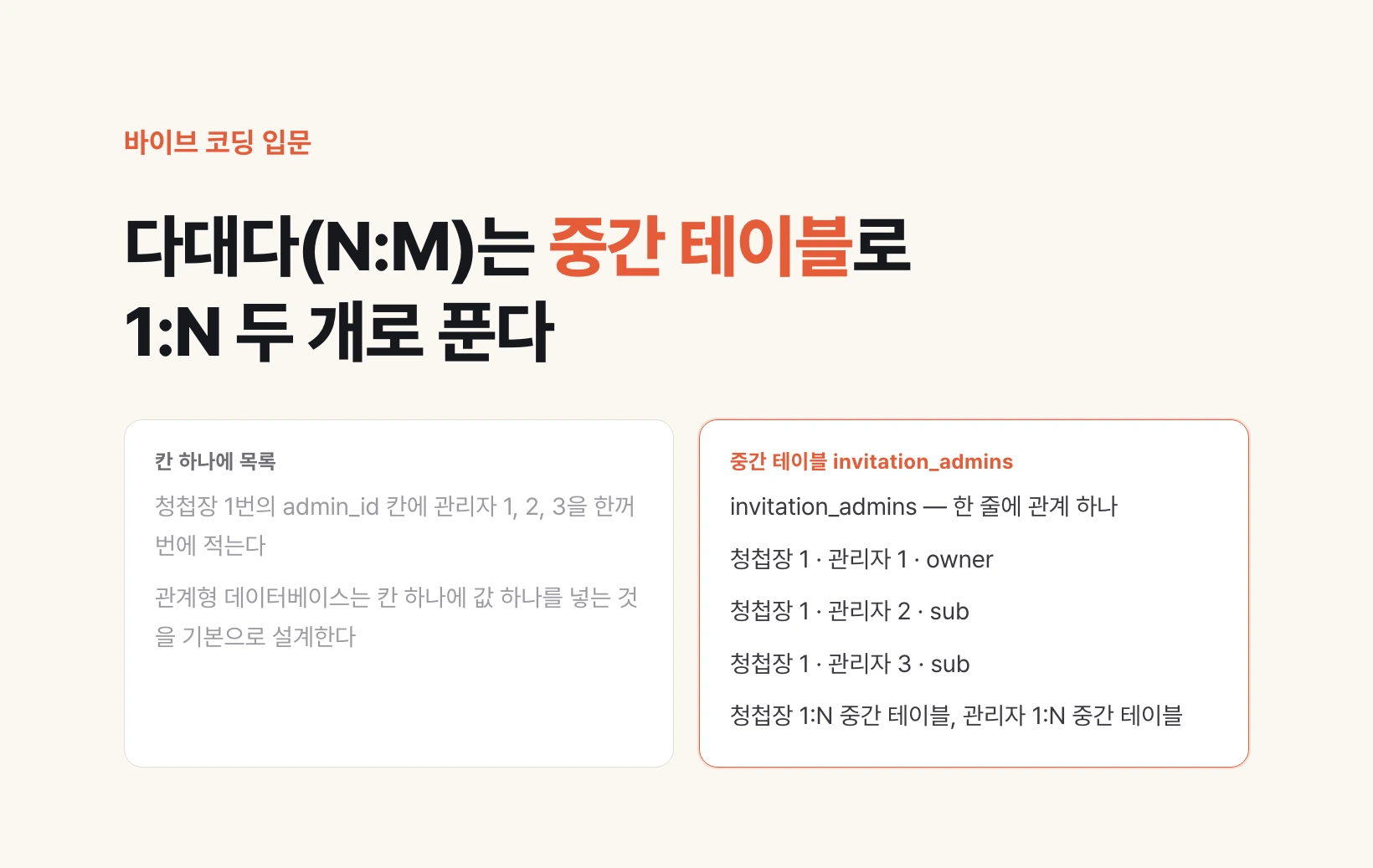
The first idea that comes to mind is to put several admins as a list in the admin_id cell, writing admins 1, 2 and 3 into invitation 1's cell at once. It makes sense in meaning, but that is not how tables are used. Relational databases are designed around one value per cell.
Instead, write the relationships one per row: invitation 1 with admin 1, invitation 1 with admin 2, invitation 1 with admin 3, invitation 2 with admin 4. You create a separate table that records only these relationships. In the lecture's example it is called "invitation management", and its cells are its own id, the invitation id and the admin id.
Now one N:M becomes two 1:Ns. One invitation has many invitation-management rows, and one admin also has many invitation-management rows. It is just the 1:N from the previous post used twice, so there is no new rule to learn.
This middle table has its own name. The lecture called it a junction object, meaning an object created to describe the relationship between two tables. Junction table and linking table refer to the same thing.
invitations       admins            invitation_admins
───────────       ──────────        ──────────────────────────────
id  groom_name    id  name          id  invitation_id  admin_id
1   Minsu         1   Jieun         1   1              1
2   Junho         2   Seojun        2   1              2
                  3   Harin         3   1              3
                  4   Doyun         4   2              4

invitations 1 : N invitation_admins
admins      1 : N invitation_admins
A junction table can record roles
Pulling the relationship out gives you a bonus: you can add more columns to the junction table. You now have a place to write information about the relationship itself.
The lecture's example is a role column. For invitation 1, admin 1 created it, so they are the owner; the others are not owners but can respond, so they are sub. Since the same admin can have a different role on each invitation, this value belongs neither in the admins table nor in the invitations table but in the row between them.
So when you meet N:M, the main solution is to create one junction table and link each side to it with 1:N. A simple ERD that once held only admins and invitations widens like this every time a feature is added.
When asking AI for this structure, spell out the shape in words. If you name the junction table and its cells first, as in the request below, there is less room for an answer that crams the admin list into one cell. Moving the admin_id values already stored on invitations into the new table is a migration, that is, a change that moves existing data into a new structure, so it needs its own check. Part 4 covers it.
| invitation_id | admin_id | role |
|---|---|---|
| 1 | 1 | owner |
| 1 | 2 | sub |
| 1 | 3 | sub |
| 2 | 4 | owner |
I want several admins to be able to manage one invitation.
Do not put a list of admins in the admin_id cell of the invitations table.
Create a junction table invitation_admins(id, invitation_id, admin_id, role)
and link invitations and admins to it with 1:N each.
Allow only owner or sub in role.
Before changing anything, explain how the existing invitation data will be moved.
Joins: pulling in information your table does not have, by id
Now say you are building an invitation list screen. Along with invitation details like groom and bride, you want to see at a glance which template each invitation uses, including that template's URL and thumbnail (a small preview image).
But the invitations table has no template URL. The previous post moved templates into their own table, so an invitation row holds only template_id, while the URL and thumbnail live in the template's row.
So you take the template_id from the invitation row and find the row with the same id in the templates table. You bring that row's URL over and attach it next to the invitation row under the name template_url. Pulling information that is not in your table but is in the parent table, by id, and attaching it: that is a join.
When handing the list screen to AI, add one line: "join the template URL and thumbnail from the templates table." Compared with copying the same values into the invitations table again, pulling them by a single id keeps the values from drifting apart when a template is edited.
invitations                                templates
───────────────────────────────────────    ────────────────────────────────
id  groom_name  bride_name  template_id    id    url              thumbnail
1   Minsu       Seoyeon     t-03           t-03  /t/spring        spring.png

One row on the list screen (join result)
────────────────────────────────────────────────────────────
id  groom_name  bride_name  template_url  template_thumbnail
1   Minsu       Seoyeon     /t/spring     spring.png
Ask AI to draw the ERD with Mermaid
Once relationships grow this far, following them in words gets hard. That is where Mermaid comes in. The name means a mermaid, and it is a tool that turns code written as text into a picture.
Working with AI, you end up using a lot of Markdown documents. Markdown is a document format that writes headings and lists with symbols like # and -, and files whose names end in .md, like README.md, are Markdown. Open a code block in such a document with three backticks (`), write mermaid, then put erDiagram and your tables and relationships on the following lines, and any screen that supports Mermaid draws the ERD for you.
You do not need to write the code yourself. The lecture's advice is to ask AI to "draw the ERD with Mermaid." Below is that code for the four tables in this post. Symbols like ||--o{ are the crow's foot notation from part 2; PK is the unique id pointing at that row (primary key), and FK is a cell pointing at another table's id (foreign key).
The lecture's tip is to look at the drawn picture and trace each relationship yourself. Check in the picture whether there is a junction table between invitations and admins, and which table the information on the list screen is joined in from. Next, we look at four things that go wrong when you hand this structure to AI, and how to recognize them by symptoms such as "the list is slow" or "the sign-up went through but the points never arrived."
Draw the database structure of this project as a Mermaid erDiagram.
Include column names, data types and PK/FK marks for each table,
and use crow's foot notation so it is clear which relationships are 1:N and which are N:M.
If there is an N:M, explain which junction table resolves it.```mermaid
erDiagram
admins ||--o{ invitation_admins : manages
invitations ||--|{ invitation_admins : "managed by"
templates ||--o{ invitations : "used by"
admins {
uuid id PK
varchar name
}
invitations {
uuid id PK
varchar groom_name
varchar bride_name
uuid template_id FK
}
invitation_admins {
uuid id PK
uuid invitation_id FK
uuid admin_id FK
varchar role "owner or sub"
}
templates {
uuid id PK
varchar url
varchar thumbnail
}
```