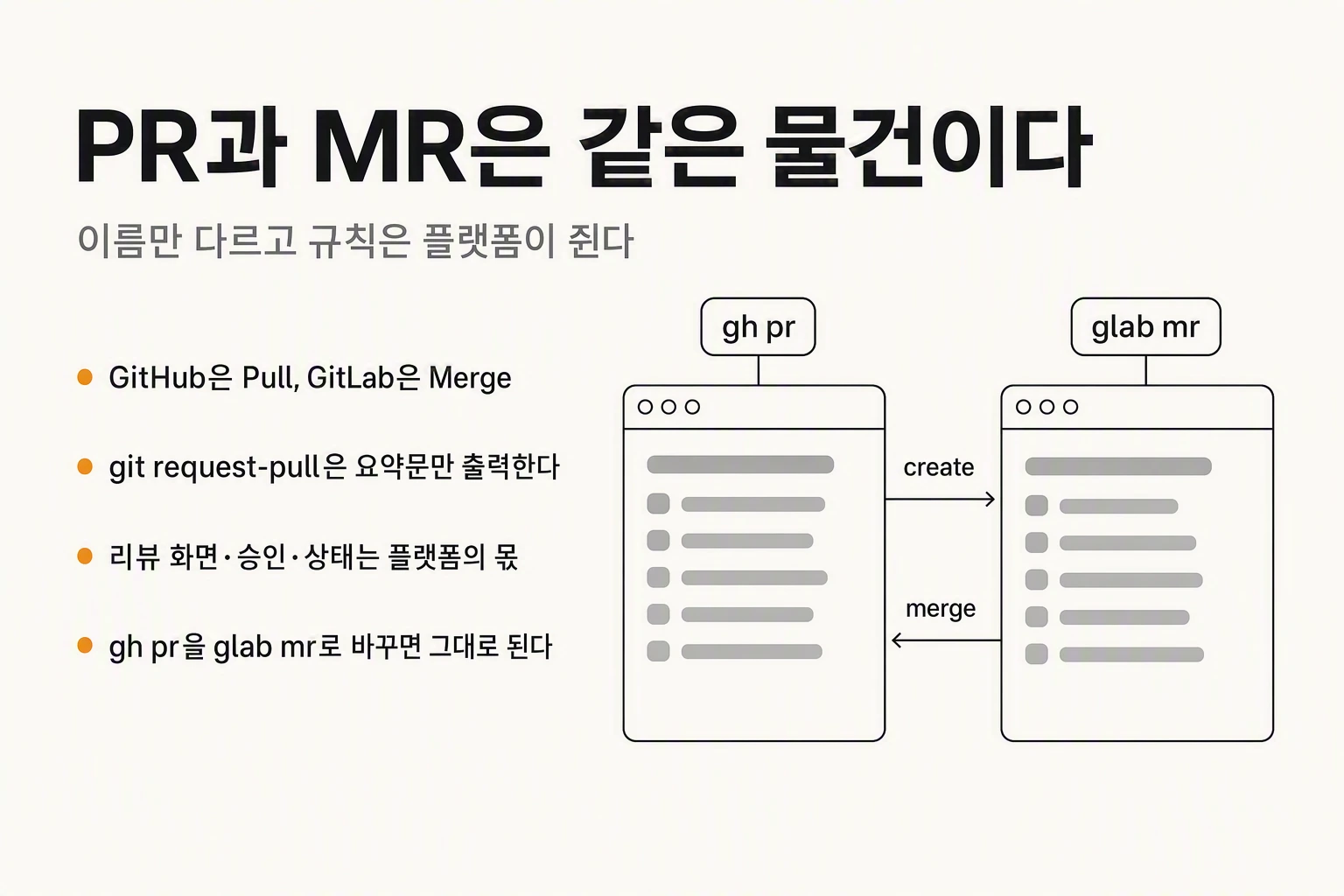
What is the difference between a PR and an MR?
As soon as you start writing code with other people you hear it: "I opened a PR." Or "could you review my MR?" Change jobs and find that everyone calls MR what you used to call PR, and you pause for a second, wondering whether what you learned still applies.
The short answer is that they are the same thing. GitHub calls it a Pull Request and GitLab calls it a Merge Request. Bitbucket, Gitea and its fork Forgejo, and Azure DevOps all sit on the Pull Request side. Either way the job is identical: display the difference between your branch and the target branch, let colleagues comment on that difference, and merge once everyone agrees.
The names diverged because they describe the same event from opposite ends. Pull is the receiving side's action — please pull my branch in. Merge is the result of that request — please merge it. You can still see the older shape in the tooling: the help text for gh pr create offers to fork the base repository for you. The picture of contributing to somebody else's repository is baked into the word.
In practice the two words are interchangeable and nobody misunderstands. Say "I opened a PR" on a GitLab team and everyone knows exactly what you mean. Terminology is rarely the actual problem.
| Platform | What it is called | URL path |
|---|---|---|
| GitHub | Pull Request (PR) | /pull/123 |
| GitLab | Merge Request (MR) | /-/merge_requests/123 |
| Bitbucket | Pull Request (PR) | /pull-requests/123 |
| Gitea · Forgejo | Pull Request (PR) | /pulls/123 |
| Azure DevOps | Pull Request (PR) | /pullrequest/123 |
Git has a pull request too — git request-pull
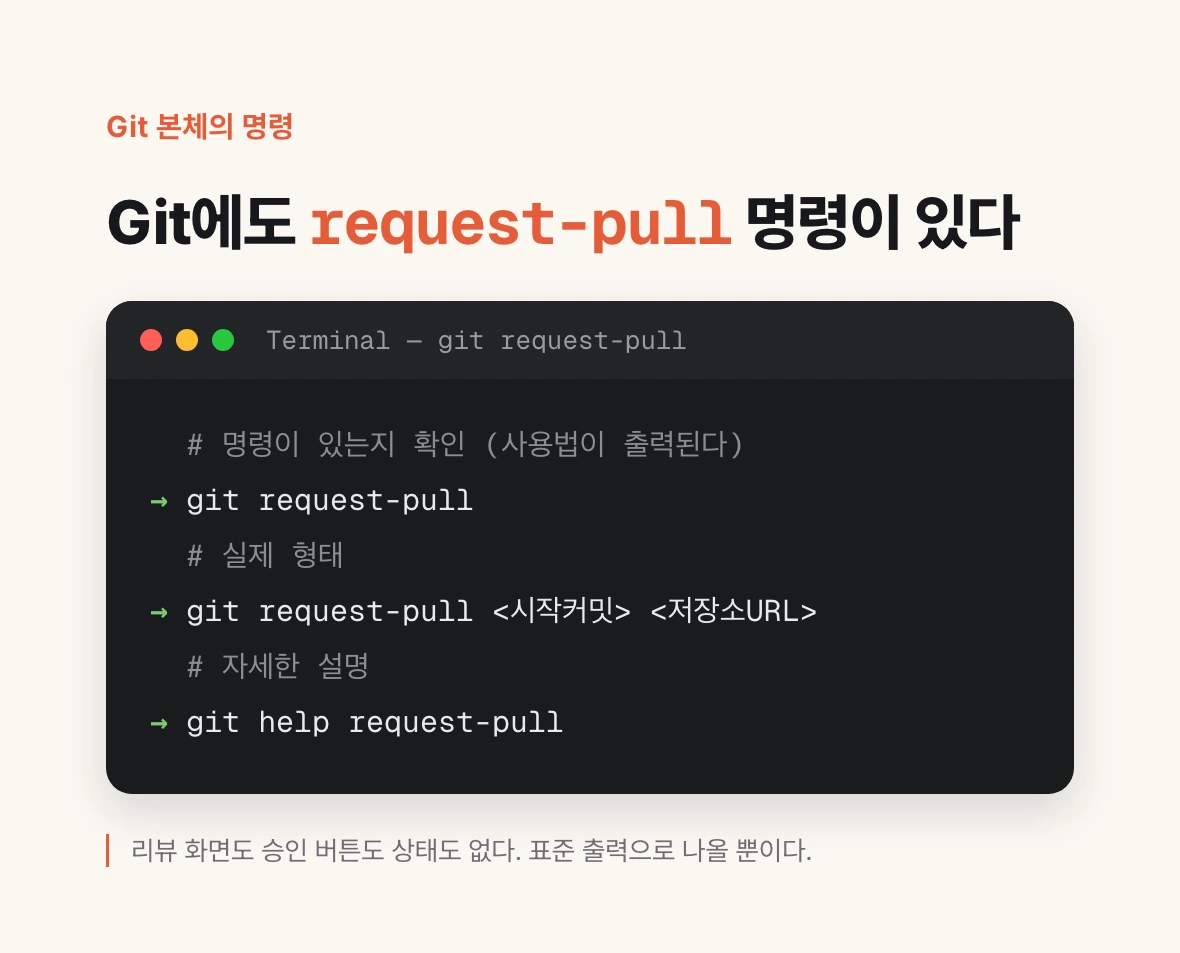
Here is the part most people miss. Git itself has a pull request. Not as a metaphor: there is a command with that name.
Open a terminal and type git request-pull. With no arguments it prints its usage. Give it a starting point and a repository URL and it assembles a summary of the commits you have made since that point, asking someone to take them. In the documentation's own words, it generates a request asking your upstream project to pull changes into their tree.
And that is the whole of it. What the command produces is text on your screen. No review screen appears. There is no approve button, no open or closed state, nowhere to leave a comment, no record of who signed off. It is not even sent anywhere — it goes to standard output.
That is exactly how it was meant to be used. In mailing-list development of the kind the Linux kernel still practises, you copy this output into an email and send it to a maintainer. The maintainer reads it and runs git pull themselves. Review happens in the replies.
# Confirm the command exists (it prints usage)
git request-pull

# The real shape
git request-pull <start> <repository-URL> [<end>]

# Example: ask someone to take your branch's commits since main
git request-pull main https://github.com/me/repo.git my-branch

# Full documentation
git help request-pull
So what is the PR or MR you use every day?
Put the two previous sections together and the answer falls out. The screen you open every day is not a Git feature. It is a web object that a hosting service layered on top of Git.
Git's job ends at computing the difference between two branches. Drawing that difference as a web page, letting people comment line by line, recording who approved, attaching automated checks, and enabling the merge button only when the conditions are met — all of that belongs to products like GitHub and GitLab. That is why a PR or MR has a number, an open or closed state, assignees and labels. Git has none of these concepts.
Why does the distinction matter in practice? Because local Git knowledge alone tells you nothing about your team's collaboration rules. However well you know git merge, how many approvals your team needs before a merge lives in platform settings, not in Git. And it is precisely those settings that are shaped differently on GitHub and GitLab.
Where the real difference shows — gh pr versus glab mr
The fastest way to see the difference between the two platforms is to put the subcommand lists of their official CLIs side by side. What a product treats as a first-class concept shows up directly in its command structure.
In GitHub CLI, approval is one flag on a review: gh pr review --approve. Approving, commenting and requesting changes are all options of the single review command. In GitLab CLI, approval is a command of its own. There is glab mr approve, and next to it approvers to list who is eligible and revoke to take back an approval you already gave.
CI status runs the other way. GitHub attached pipeline results to the PR itself: gh pr checks prints that PR's check results. GitLab has no glab mr checks. Instead there is a separate top-level glab ci layer where pipelines live.
A few other commands have a distinct flavour. GitLab has glab mr rebase to replay the source branch on top of the target, and glab mr for to open an MR straight from an issue. GitHub has gh pr update-branch to bring a branch up to date, gh pr revert to undo a merged PR, and gh pr ready to mark a draft as ready for review.
| What you want to do | GitHub (gh) | GitLab (glab) |
|---|---|---|
| Create | gh pr create | glab mr create |
| List | gh pr list | glab mr list |
| Check out locally | gh pr checkout | glab mr checkout |
| View the diff | gh pr diff | glab mr diff |
| Approve | gh pr review --approve | glab mr approve |
| Revoke an approval | (submit a new review) | glab mr revoke |
| List eligible approvers | (no dedicated command) | glab mr approvers |
| See CI status | gh pr checks | glab ci (separate layer) |
| Merge | gh pr merge | glab mr merge |
# GitHub CLI
gh pr --help

# GitLab CLI
glab mr --help

# See where approval lives
gh pr review --help      # it is the --approve flag
glab mr approve --help   # it is its own command
Opening your first one — on both GitHub and GitLab
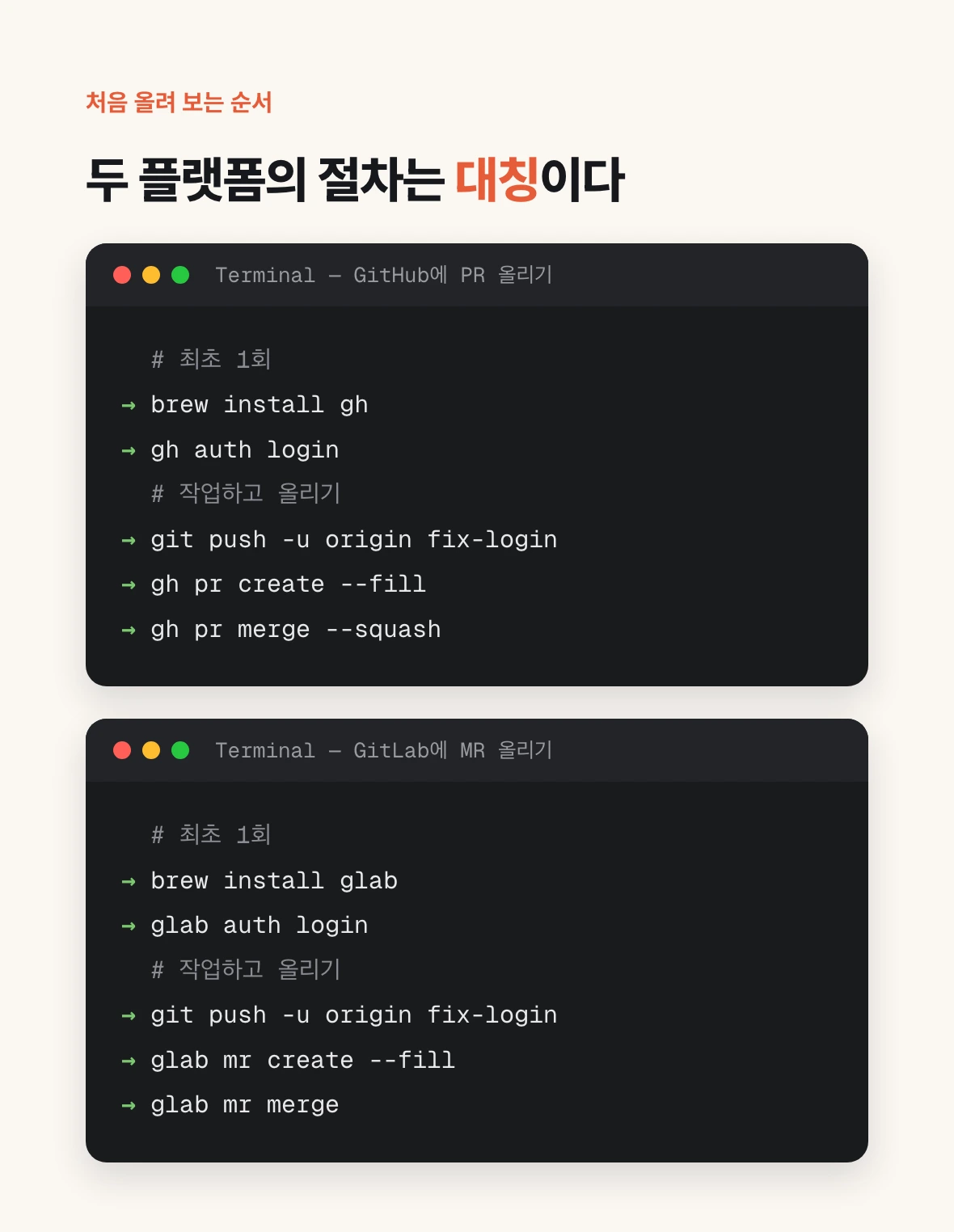
The claim that only the name differs is easiest to verify by running the commands. The sequence below is perfectly symmetric: swap pr for mr and gh for glab and you are on GitLab.
First install the CLI and log in. On macOS both come from Homebrew. Logging in is gh auth login and glab auth login respectively; a browser opens to authenticate your account. You only do this once.
After that it is ordinary Git work. Create a branch, commit, push it to the remote. Nothing differs between GitHub and GitLab here, because this part is pure Git.
Finally you open the PR or MR. Both CLIs support --fill, which pulls the title and body out of your commit messages. If it is not ready for review yet, add --draft. A draft opens with the merge button locked, which is what you want when you are sharing work in progress.
Once it is open you can inspect it without leaving the terminal. Add --web to open it in a browser; run plain view and the title, body and state print in the terminal.
# One-time setup
brew install gh
gh auth login

# The work
git switch -c fix-login
git commit -am "Fix the message shown on failed login"
git push -u origin fix-login

# Open the PR (title and body filled from commits)
gh pr create --fill

# Open it as a draft
gh pr create --fill --draft

# Check it, then merge
gh pr view
gh pr checks
gh pr merge --squash# One-time setup
brew install glab
glab auth login
# The work
git switch -c fix-login
git commit -am "Fix the message shown on failed login"
git push -u origin fix-login
# Open the MR (title and body filled from commits)
glab mr create --fill
# Open it as a draft
glab mr create --fill --draft
# Check it, then merge
glab mr view
glab mr approve
glab mr mergeThe document you actually have to rewrite when you switch
So when a team moves from GitHub to GitLab or the other way, where does the work actually land? Not in the glossary. Saying MR instead of PR takes about a day to get used to.
What needs rewriting is the approval policy. How many approvals are required before a merge. Whether a code owner's approval is mandatory. Whether a new commit invalidates existing approvals. Whether an approval can be withdrawn. These rules live under different names and on different screens on the two platforms. The CLI structure above is a summary of that gap: the fact that GitLab gives eligible-approver listing and approval revocation their own commands tells you how thickly the concept is modelled inside the product.
One more thing to settle at the same time: the merge strategy. Whether you squash commits into one by default, rebase then merge, or keep a merge commit — every team picks one, and that setting also has a different name and location on each platform. While you are migrating, write it down too.
To sum up: a PR and an MR are the same object. What differs is not the name but the rules attached to that object, and those rules are held by the platform, not by Git.