
Why images do not go in the table
The previous post said a database looks like a spreadsheet, a structure good at stacking names, dates and numbers one row at a time.
Photos and video are not the kind of thing that belongs in those cells. Conceptually you can put them there. It just does not perform.
The reason lies in how things are read. Drawing one list screen might query twenty rows, and if each row holds a whole image, images that will not even appear on screen get dragged out too. A database is not a tool built for heavy blobs travelling that often.
So they are separated. The file itself goes in a file store, and the database holds only the path to where the file sits.
posts table
─────────────────────────────────────────────
id  title         cover_path
1   First post    /uploads/2026/09/cover-1.webp
2   Second post   /uploads/2026/09/cover-2.webp

1. the screen queries posts and reads cover_path
2. it then asks storage for that file separately
Storage and the second request
The place files live is called storage. For a small service it may be a folder on the server; as things grow, a dedicated file service takes over.
In this structure the screen makes two requests. It asks the backend for values and receives a path, then asks for the file at that path separately. Browsers send that second request on their own when they meet an image address, so it is not something a person manages.
Separating what serves values from what serves files also lets them sit on different servers. One server answers value requests well; another serves files well. Different kinds of work, each better done apart.
CDN — the layer that handles distance and frequency

One more thing attaches here: distance.
Say an image sits on a server in the United States and someone in Korea is looking at it. The request travels the Pacific over undersea cable. A line of text is one thing, but a large blob like an image or video making that round trip every time is slow.
So copies get pushed out in advance. Frequently used files are copied to points of presence around the world, and when a request arrives the point nearest that person serves it. That net is a CDN, short for content delivery network.
It handles frequency too. A site logo is fetched by every visitor while the image on an unpopular post is almost never fetched. The first is worth keeping close at all times; the second is better pulled from the origin when a request actually arrives. Making that judgment for you is what this layer does.
| Layer | What it holds | What it decides |
|---|---|---|
| Database | Values and file paths | Which values relate to which |
| Storage | The original files | Where to keep them safely |
| CDN | Copies of frequent files | Who gets served from where |
Most complaints about a slow site start here
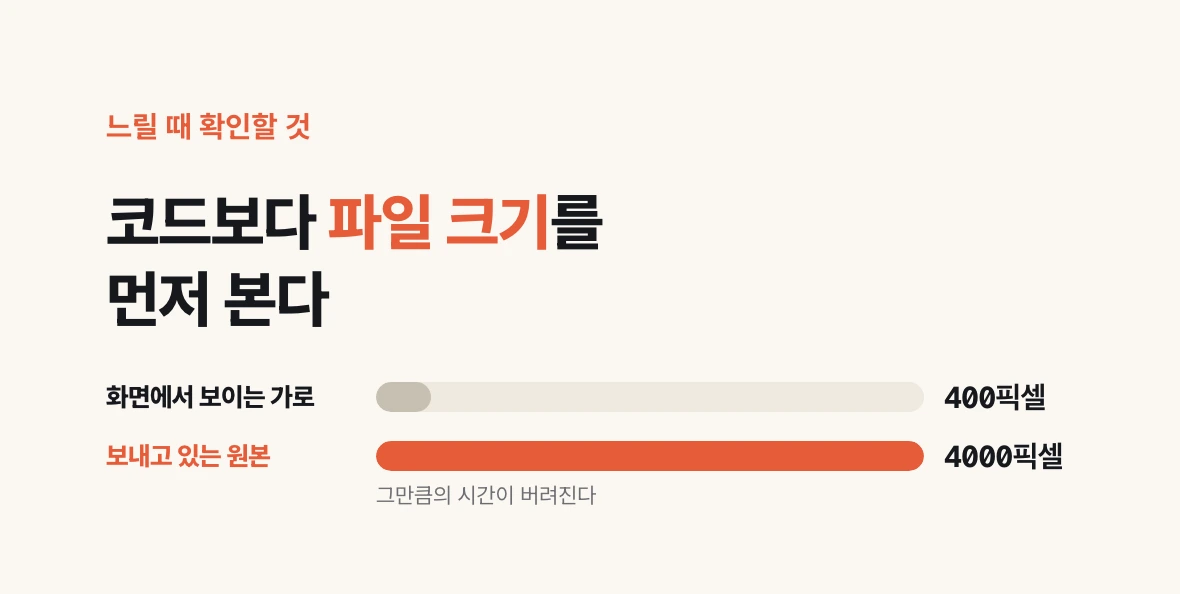
A slowness report makes it tempting to open the code first. In practice it is often this layer.
A few checks are standard. Are images going out at their original size? Sending a 4000-pixel file into a slot that renders 400 pixels wide throws away exactly that much time.
Look at format too. The same picture is far lighter in a format built for the web. Then look at distance and caching: whether copies are being served from somewhere close, and whether a file already fetched is configured so the browser need not fetch it again.
Open the network tab in your browser's developer tools and you can see exactly which file took how long. Looking here before touching code usually produces the answer. The next post is the last: moving all of this to another computer.